
WordPress image sizes explained in one line: every time you upload a photo, WordPress quietly saves several resized copies of it, and your theme and plugins can add more. That is why a single upload can become eight or more files, why your uploads folder grows faster than you expect, and why an offload bucket holds far more objects than your Media Library shows.
This guide lists the default sizes with the exact values from the WordPress developer documentation, shows how theme and WooCommerce sizes add to them, walks through the storage maths, and explains how to see and safely disable sizes you do not use. We also cover how srcset picks a size and what all of this means for offload storage costs.
Table of Contents
- WordPress Image Sizes Explained: The Defaults
- Big Images and the -scaled File
- Theme and WooCommerce Image Sizes
- How One Upload Becomes Many Files
- Storage Maths: A Worked Example
- How to See Every Registered Size
- Safely Disabling Unused Sizes
- How srcset and sizes Choose a File
- What Image Sizes Mean for Offload Storage Costs
- Image Size Audit Checklist
- Troubleshooting Image Sizes
- Frequently Asked Questions
WordPress Image Sizes Explained: The Defaults
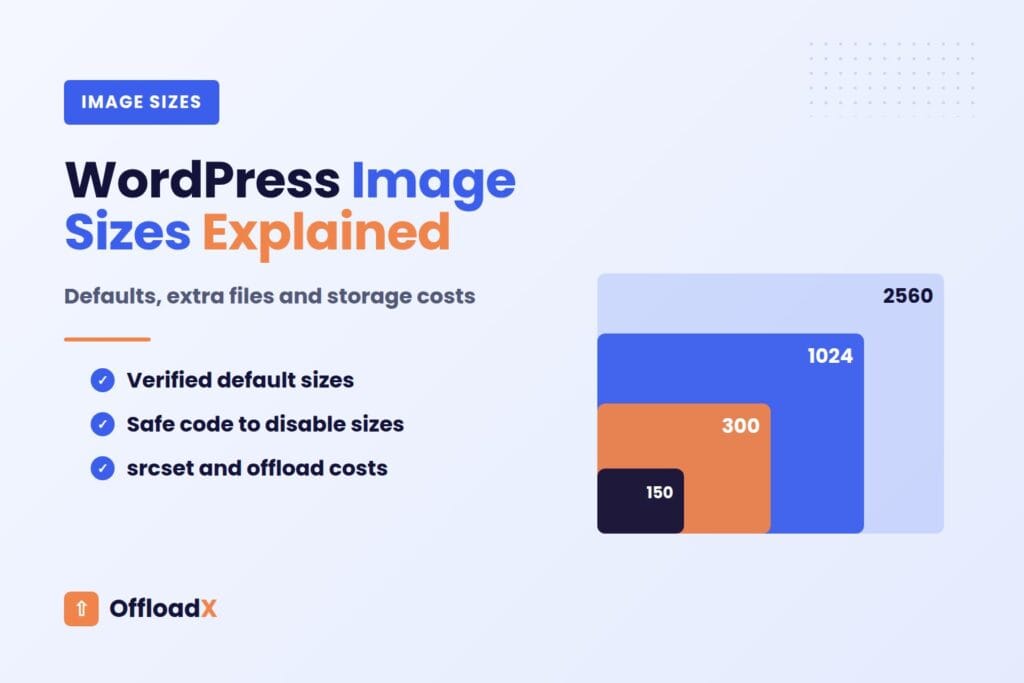
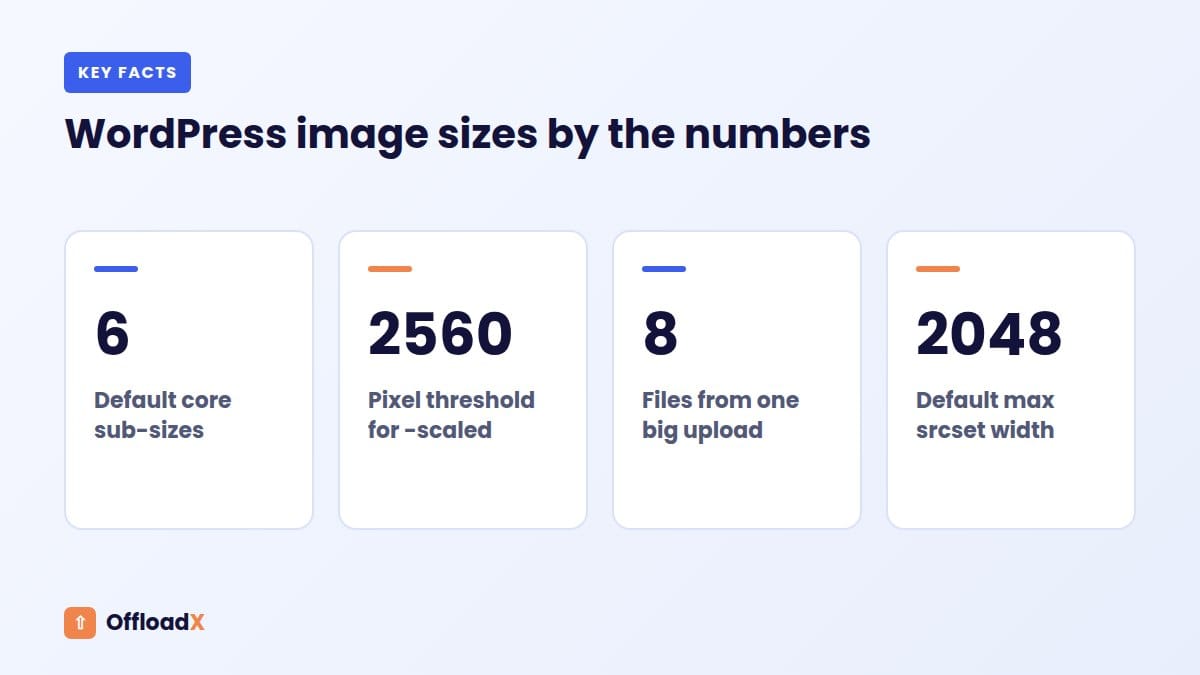
WordPress core registers six sub-sizes out of the box. Four are named in the add_image_size() reference as reserved names, and two more were added in WordPress 5.3 for high-density screens.
| Size name | Default maximum | Cropped? | Where you change it |
|---|---|---|---|
thumbnail | 150 × 150 | Yes, to exact size by default | Settings → Media |
medium | 300 × 300 | No, scaled to fit | Settings → Media |
medium_large | 768 wide | No | Not shown on Settings → Media |
large | 1024 × 1024 | No | Settings → Media |
1536x1536 | 1536 × 1536 | No | Code only |
2048x2048 | 2048 × 2048 | No | Code only |
The last two come from _wp_add_additional_image_sizes(), introduced in 5.3, which calls add_image_size( '1536x1536', 1536, 1536 ) and add_image_size( '2048x2048', 2048, 2048 ). The documentation describes them as double the medium_large and large sizes.
What “maximum” means
Uncropped sizes are a bounding box. A 4000 × 3000 landscape photo resized to medium becomes 300 × 225, because the width hits 300 first and the aspect ratio is kept. Cropped sizes, like the default thumbnail, are cut to the exact dimensions from the centre.
WordPress does not upscale
A sub-size is only created when the original is larger than it. Upload an 800-pixel-wide image and you get thumbnail, medium and medium_large, but no large, 1536x1536 or 2048x2048 file.
Key point: the number of files per upload depends on how big the original is. Large photos from phones and cameras create the most copies.
Big Images and the -scaled File
Since WordPress 5.3, very large uploads get one more file. The big_image_size_threshold filter defaults to 2560 pixels. If the original’s width or height is above that, WordPress creates a scaled-down copy and uses it as the largest available size, while keeping the original.
What you will see
- The original, for example
holiday.jpgat 4000 × 3000. - A scaled copy,
holiday-scaled.jpgat 2560 × 1920, which becomes the “full” size WordPress displays. - The usual sub-sizes, generated alongside.
The WordPress 5.3 announcement explains that the original stays on disk and can be found programmatically with wp_get_original_image_path(). WordPress may also create a -rotated copy when it corrects a photo’s EXIF orientation.
Changing or disabling the threshold
You can raise or lower the threshold with the filter, or return false to turn scaling off:
add_filter( 'big_image_size_threshold', '__return_false' );
Turning it off means one fewer file per large upload, but the “full” size becomes the huge original. That is fine for photography sites that need full resolution, and wasteful for most blogs.
Theme and WooCommerce Image Sizes
Core sizes are only the start. Themes and plugins register their own with add_image_size(), and every registered size is generated for every eligible upload, whether or not the page that needs it exists.
Common sources of extra sizes
- Themes:
post-thumbnailfor featured images, plus hero, card or grid sizes. - Page builders: sometimes add sizes for galleries and sliders.
- WooCommerce: three product sizes, listed below.
- Gallery, slider and related-posts plugins: often add one or two each.
- Old themes: sizes can remain if a plugin or child theme still registers them.
WooCommerce sizes
According to the WooCommerce image sizes documentation, classic themes get these defaults:
| Size name | Used for | Default |
|---|---|---|
woocommerce_thumbnail | Shop and category grids | 300 wide, square cropped |
woocommerce_single | Main image on single product pages | 600 wide, uncropped |
woocommerce_gallery_thumbnail | Gallery navigation below the main image | 100 × 100, square cropped |
Themes can set their own widths with add_theme_support( 'woocommerce', … ), and store owners can often change widths and crop ratios in the Customizer. WooCommerce notes that existing images need thumbnails regenerated to pick up new settings. If you run a shop on R2, our Cloudflare R2 for WooCommerce guide covers the storage side.
How One Upload Becomes Many Files
Put it together and here is what a single 4000 × 3000 JPEG produces on a site with only core sizes. This is the heart of WordPress image sizes explained: each row is a separate file on disk and, once offloaded, a separate object in your bucket.
| File | Dimensions | Why it exists |
|---|---|---|
photo.jpg | 4000 × 3000 | The original, kept by WordPress |
photo-scaled.jpg | 2560 × 1920 | Above the 2560 threshold |
photo-2048x1536.jpg | 2048 × 1536 | 2048x2048 size |
photo-1536x1152.jpg | 1536 × 1152 | 1536x1536 size |
photo-1024x768.jpg | 1024 × 768 | large |
photo-768x576.jpg | 768 × 576 | medium_large |
photo-300x225.jpg | 300 × 225 | medium |
photo-150x150.jpg | 150 × 150 | thumbnail, cropped |
That is eight files before any theme or plugin sizes. Add WooCommerce’s three and a theme’s two or three, and a single product photo can easily become 12 to 14 files.
Where the list is stored
WordPress records every generated size in the attachment’s metadata (_wp_attachment_metadata), under a sizes array with each file name, width, height and MIME type. Functions like wp_get_attachment_image() read that array to build image tags, which is why a missing entry breaks srcset.
Storage Maths: A Worked Example
File sizes vary with content and compression, so the figures below are an illustrative example rather than measurements. They show how the copies add up.
| File | Example size |
|---|---|
| Original, 4000 × 3000 | 4.0 MB |
| Scaled, 2560 × 1920 | 1.2 MB |
| 2048 × 1536 | 0.8 MB |
| 1536 × 1152 | 0.5 MB |
| 1024 × 768 | 0.25 MB |
| 768 × 576 | 0.15 MB |
| 300 × 225 | 0.03 MB |
| 150 × 150 | 0.01 MB |
| Total per upload | about 6.9 MB |
Scaled up to a real library
- 10,000 uploads × 6.9 MB ≈ 69 GB on disk, from photos that were 40 GB as originals.
- 10,000 uploads × 8 files = 80,000 files, before theme and plugin sizes.
- In this example the sub-sizes add about 73% on top of the originals. With smaller originals the percentage is often higher.
That extra space is on your hosting disk and in every backup until you offload it. If your disk is already tight, see our guide to a WordPress site running out of disk space.
How to See Every Registered Size
Before disabling anything, find out exactly which image sizes your site registers and who registers them.
With WP-CLI
wp media image-size lists every registered size with its width, height and crop setting. It is the quickest way to spot sizes added by a theme or plugin you had forgotten about.
With PHP
wp_get_registered_image_subsizes(), added in 5.3, returns a normalised array of all registered sub-sizes indexed by name. You can print it temporarily from a snippet plugin, or on a staging site, to see the full list.
By looking at the files
- Open a recent month in
wp-content/uploadsand look at one image’s family of files. - Suffixes like
-600x600or-370x247that do not match core sizes come from themes or plugins. - Search your theme and plugins for
add_image_sizeto find where each one is registered.
Record what each size is for
| Size | Registered by | Used on the front end? | Decision |
|---|---|---|---|
thumbnail | Core | Admin grid, widgets | Keep |
medium_large | Core | In srcset | Keep |
2048x2048 | Core | Large retina screens | Review |
| Theme slider size | Old theme | No | Remove |
Safely Disabling Unused Sizes
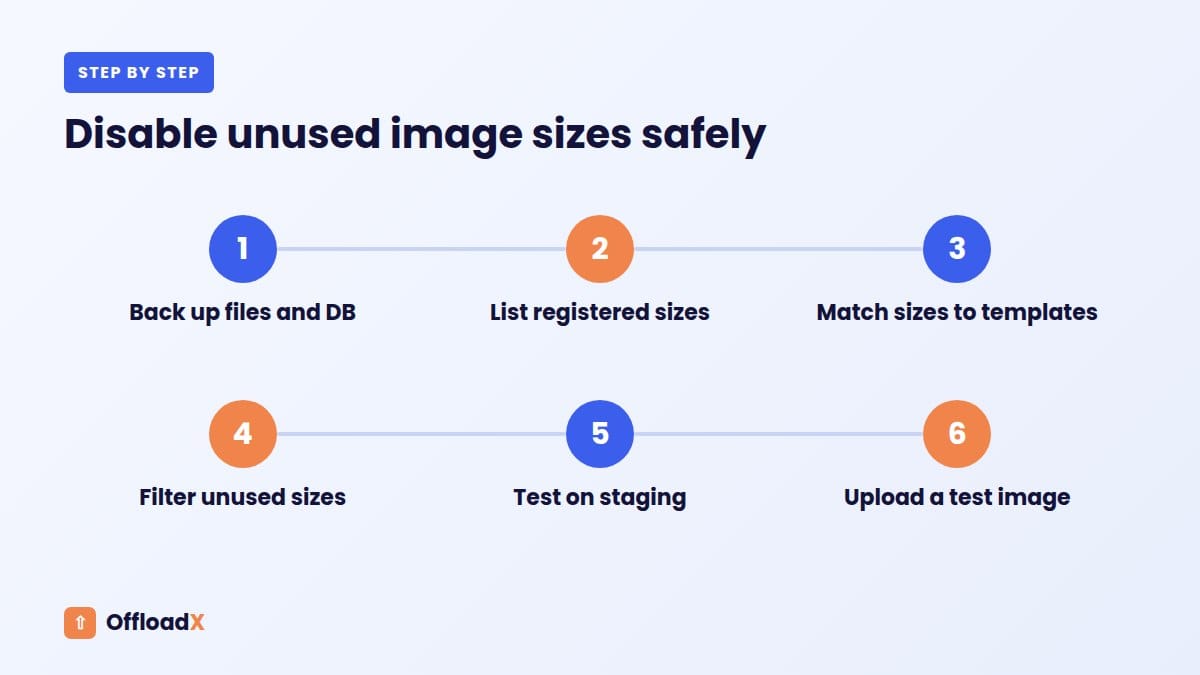
Removing a size you never use saves disk space, processing time on upload and, if you offload, storage and request charges. Removing one you do use breaks layouts. Go slowly.
Option 1: stop sizes being generated on upload
The intermediate_image_sizes_advanced filter receives the array of sizes about to be created, and you can remove entries from it. Put this in a small custom plugin or a code snippets plugin, not in a parent theme:
add_filter( 'intermediate_image_sizes_advanced', function ( $sizes ) { unset( $sizes['2048x2048'], $sizes['old_theme_slider'] ); return $sizes;} );
The filter also receives the image metadata and attachment ID, so you can skip sizes only for certain file types, such as GIFs.
Option 2: unregister a size
remove_image_size( 'old_theme_slider' ); removes a size added with add_image_size(). Run it on a hook after the theme or plugin registers the size, for example after_setup_theme with a late priority.
Option 3: the Settings screen
For thumbnail, medium and large, setting both width and height to 0 in Settings → Media stops WordPress creating that size. Be careful with thumbnail: the Media Library grid and many widgets rely on it.
Rules for doing it safely
- Take a backup of files and database first.
- Test on staging and check the home page, archive pages, single posts and shop pages.
- Never remove
thumbnail,mediumorlargewithout a clear reason, because editors insert them in content. - Think twice about
1536x1536and2048x2048: they give sharp images on large high-density screens. - Changes apply to new uploads only. Existing files stay until you delete them or regenerate thumbnails.
- Do not delete old size files by hand if posts still reference them in their HTML.
Key point: disabling a size is safe; deleting files that content still points to is not. Stop generation first, then clean up old files only after checking they are unused.
How srcset and sizes Choose a File
Extra sizes are not pure waste. They are what lets WordPress serve a small file to a phone and a large one to a desktop.
What WordPress adds
Since WordPress 4.4, core adds srcset and sizes attributes to images it outputs, according to the responsive images documentation:
srcsetlists the available files of the same aspect ratio with their widths.sizestells the browser how wide the image will display. The default is(max-width: {width}px) 100vw, {width}px.- The
max_srcset_image_widthfilter caps which files appear insrcset; the default is 2048 pixels. - The
wp_calculate_image_sizesfilter lets a theme supply a more accuratesizesvalue.
sizes=”auto” in WordPress 6.7
WordPress 6.7 prepends auto to the sizes attribute of lazy-loaded images, so supporting browsers use the real layout width to pick a file, per the 6.7 dev note. It only does this when the image has loading="lazy", and the wp_img_tag_add_auto_sizes filter turns it off.
Why cropped sizes do not appear
Only files with the same aspect ratio as the displayed image go into srcset. A square-cropped thumbnail will not be offered for a 4:3 photo, which is why a well-chosen set of uncropped sizes matters more than a long list of cropped ones.
For more on how image delivery affects Core Web Vitals, see offloading WordPress media and speed.
What Image Sizes Mean for Offload Storage Costs
When you offload the Media Library, each sub-size is uploaded to the bucket as its own object. That affects three things: stored gigabytes, write requests and the number of objects to migrate.
Storage
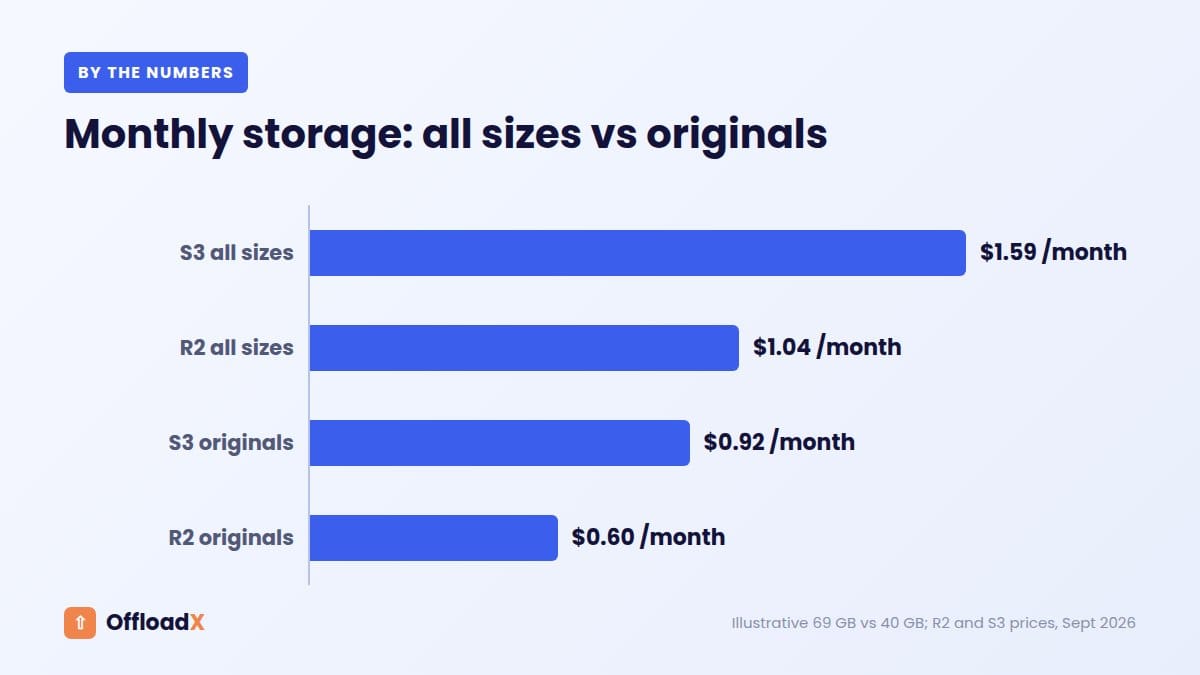
Using the 69 GB example above and prices checked September 2026:
| Provider | Storage price | 69 GB per month | 40 GB (originals only) |
|---|---|---|---|
| Cloudflare R2 | $0.015 per GB-month | about $1.04 | $0.60 |
| Amazon S3 Standard (US East) | $0.023 per GB-month | about $1.59 | $0.92 |
Prices are from R2 pricing and S3 pricing; R2 also includes 10 GB-month free. The sub-sizes cost pennies at this scale, but the share grows with the number of registered sizes.
Write requests
- Each file is one upload request. Eight files per image means eight writes.
- R2 charges $4.50 per million Class A operations after 1 million free per month.
- A bulk migration of 10,000 images at eight files each is about 80,000 writes, well inside R2’s free allowance.
- Regenerating thumbnails after a theme change re-uploads every new size, so it adds writes again.
Migration time
More objects mean a longer first migration. Trimming unused sizes before you bulk-offload an existing library cuts the work for every tool. For provider choice, compare options in our best cloud storage for WordPress guide or the R2 vs S3 comparison.
OffloadX offloads each upload with all its generated sizes and rewrites the URLs, on every plan including Free (up to 100 files). Starter, from $8 a month billed annually, adds the bulk migrator for existing libraries plus image compression and WebP with Cloudflare Images, which reduce the size of the files you do keep. Our R2 offload guide walks through the setup.
Image Size Audit Checklist
- List registered sizes with
wp media image-sizeorwp_get_registered_image_subsizes(). - Match each size to the theme, plugin or core feature that registers it.
- Check which sizes your templates, blocks and shop pages actually output.
- Decide keep, review or remove for each size.
- Disable unused sizes with
intermediate_image_sizes_advancedorremove_image_size(). - Check your
big_image_size_thresholdsuits your content. - Upload a test image and count the files it creates.
- Test pages on a phone and a large high-density screen.
- Only then bulk-offload or regenerate the existing library.
Troubleshooting Image Sizes
| Symptom | Likely cause | Fix |
|---|---|---|
| Blurry featured images after a theme change | New theme size not generated for old uploads | Regenerate thumbnails |
| Uploads folder growing very fast | Many theme and plugin sizes | Audit and disable unused sizes |
Files ending in -scaled | Upload above the 2560 threshold | Expected; adjust the filter if needed |
No srcset on an image | Missing metadata or a different aspect ratio | Check the attachment’s sizes metadata |
| Browser picks a file that is too large | Inaccurate sizes attribute | Use wp_calculate_image_sizes or rely on lazy-load auto |
| Uploads time out on large photos | Generating many sizes uses memory and time | Fewer sizes, more PHP memory, or smaller originals |
| Product grid images the wrong shape | WooCommerce crop settings changed | Set the crop in the Customizer and regenerate |
Frequently Asked Questions
How many image sizes does WordPress create by default?
Six sub-sizes: thumbnail, medium, medium_large, large, 1536×1536 and 2048×2048. Uploads larger than 2560 pixels also get a -scaled copy, and the original is kept, so a big photo becomes eight files.
Why is medium_large not in Settings → Media?
It was added for responsive images and is not shown on that screen. It is 768 pixels wide by default and mainly appears in srcset.
Is it safe to disable 1536×1536 and 2048×2048?
On many sites, yes, but large high-density screens will then get a smaller, softer image. Test on a large retina display before deciding.
Do disabled sizes disappear from existing uploads?
No. Disabling only affects new uploads. Existing files stay until you delete them, ideally after checking no content still links to them.
Does WordPress keep the original after creating the -scaled image?
Yes. The original stays on disk and can be found with wp_get_original_image_path(). The scaled copy is used as the full size.
Do image sizes affect offload costs?
Yes. Every size is stored as a separate object, so more sizes mean more gigabytes stored, more write requests and a longer migration. At typical R2 or S3 prices the difference is small per image but grows with the library.
What is a good big_image_size_threshold?
The default 2560 suits most sites. Photography or print-focused sites may raise or disable it; blogs with narrow content columns can lower it.
How do I see all image sizes on my site?
Run wp media image-size in WP-CLI, or print wp_get_registered_image_subsizes() on a staging site. Both list sizes from core, the theme and plugins.
Conclusion
With WordPress image sizes explained, the pattern is clear: one upload creates a family of files, themes and WooCommerce add more, and every copy costs disk space, backup time and bucket storage. Audit your registered sizes, disable the ones you never use, keep the ones srcset relies on, and offload the rest so they no longer fill your server.
Default sizes, filters and functions are from the WordPress and WooCommerce developer documentation. R2, S3 and OffloadX prices were checked September 2026. File sizes in the storage example are illustrative, not measured.