
If you’re comparing OffloadX vs WP Offload Media, you’re probably already frustrated with WP Offload Media’s pricing model — or you’re trying to figure out which plugin is actually worth paying for. This guide gives you the honest, unvarnished comparison: what each plugin does, where they differ, and which one makes more sense for your site in 2026.
The OffloadX vs WP Offload Media question matters because these are the two most fully-featured WordPress media offload plugins available — and they take completely different approaches to pricing, provider support, and who they’re built for.
Table of Contents
- TL;DR — Quick Verdict
- What Is WP Offload Media?
- What Is OffloadX?
- Pricing Comparison: The Biggest Difference
- Cloud Provider Support
- Feature Comparison
- Ease of Setup and Use
- Who Wins Each Category
- When to Choose OffloadX
- When to Choose WP Offload Media
- How to Switch from WP Offload Media to OffloadX
- OffloadX vs WP Offload Media: Cost Over Three Years
- OffloadX vs WP Offload Media: A Quick Decision Guide
- Frequently Asked Questions
TL;DR — Quick Verdict
OffloadX wins for most WordPress sites
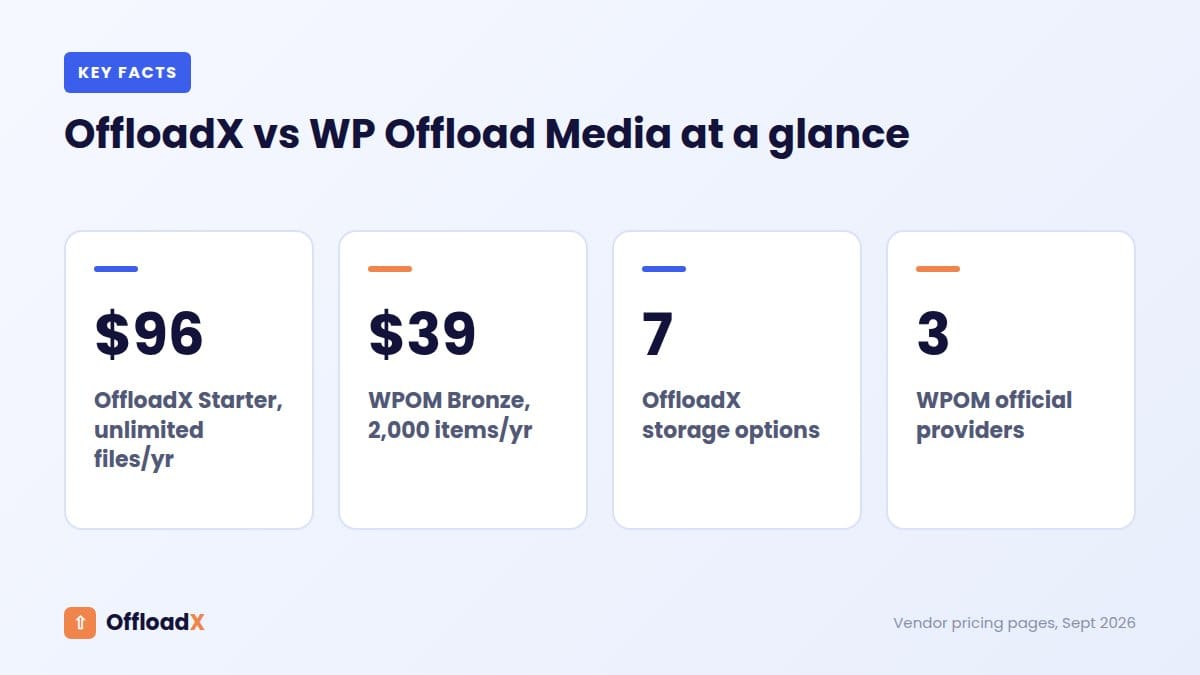
No media count limits on paid plans, official support for more cloud providers including Cloudflare R2, and a free plan to get started. WP Offload Media is a mature, well-documented plugin — but its per-item pricing model means costs escalate fast as your media library grows.
What Is WP Offload Media?
WP Offload Media is a premium WordPress plugin by Delicious Brains — one of the most established WordPress plugin companies. It’s been around since 2013, has a strong reputation, and is widely considered the market leader in WordPress media offloading.
It connects your WordPress media library to cloud storage (Amazon S3, Google Cloud Storage, and DigitalOcean Spaces) and serves files via CDN. It’s feature-rich, well-documented, and has deep integrations with WooCommerce, WPML, and other major plugins.
The catch: WP Offload Media uses a per-item pricing model — you pay based on how many media items you’ve offloaded. As your library grows, you get bumped to a higher (and much more expensive) tier.
What Is OffloadX?
OffloadX is a WordPress media offload plugin built for site owners who want full-featured cloud offloading without restrictive licensing. In the OffloadX vs WP Offload Media comparison, OffloadX differentiates itself on three fronts: flat-rate pricing regardless of media count, broader cloud provider support including Cloudflare R2 and Wasabi, and a freemium model that lets you get started for free.
OffloadX supports Cloudflare R2, Amazon S3, Wasabi, DigitalOcean Spaces, and Bunny CDN — covering all the major providers WordPress site owners actually use in 2026. It handles automatic offloading, URL rewriting, bulk migration, and local copy management out of the box.
Pricing Comparison: The Biggest Difference
This is where the OffloadX vs WP Offload Media comparison gets most interesting — and where WP Offload Media shows its biggest weakness.
WP Offload Media Pricing
WP Offload Media charges based on the number of offloaded media items in your library. Every plan allows unlimited sites (new-customer pricing, checked September 2026):
| Plan | Price/Year | Media Item Limit | Sites |
|---|---|---|---|
| Bronze | $39/year | Up to 2,000 items | Unlimited |
| Silver | $59/year | Up to 6,000 items | Unlimited |
| Gold | $149/year | Up to 20,000 items | Unlimited |
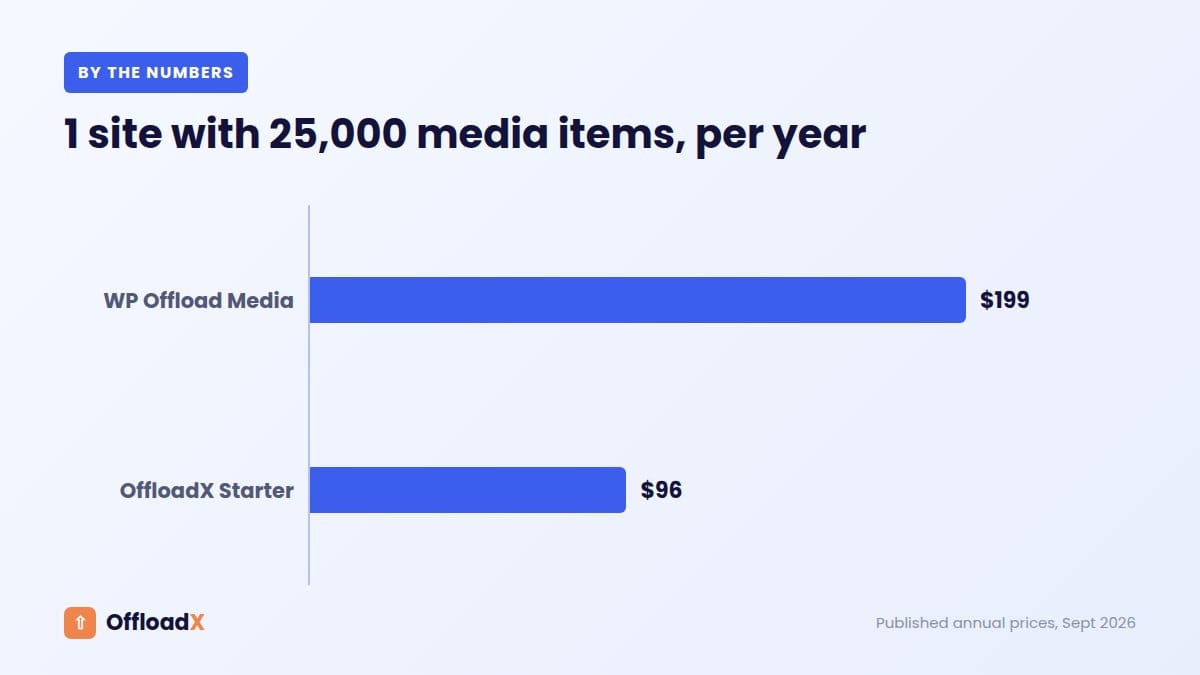
| Platinum | $199/year | Up to 40,000 items | Unlimited |
| Adamantium | $349/year | Up to 100,000 items | Unlimited |
| 500K | $799/year | Up to 500,000 items | Unlimited |
| Unlimited | $1,199/year | Unlimited | Unlimited |
OffloadX Pricing
OffloadX prices by number of sites, with no media count limits on any paid plan. Monthly and lifetime options are also available — see the pricing page:
| Plan | Price/Year | Media Item Limit | Sites |
|---|---|---|---|
| Free | $0 | Up to 100 files | 1 site |
| Starter | $99/year | Unlimited | 1 site |
| Pro | $199/year | Unlimited | 3 sites |
| Business | $349/year | Unlimited | 10 sites |
| Agency | $529/year | Unlimited | Unlimited sites |
No media item caps on any paid plan. Your licence cost stays the same whether you have 1,000 images or 1,000,000 images — it only changes if you add more sites.
Real-world example: A WooCommerce store with 3,000 products and 4 images per product has about 12,000 media items. On WP Offload Media that needs the Gold plan at $149/year — and once the library passes 20,000 items it moves to Platinum ($199/year) and up. On OffloadX a single store is the Starter plan at $99/year, and the price stays the same however many images you add.
Cloud Provider Support
In the OffloadX vs WP Offload Media comparison, provider support is another area where they diverge significantly.
| Provider | OffloadX | WP Offload Media |
|---|---|---|
| Cloudflare R2 | ✅ Yes — native | ❌ Not officially supported |
| Amazon S3 | ✅ Yes | ✅ Yes |
| Wasabi | ✅ Yes — native | ⚠️ Unofficial (setup guide only) |
| DigitalOcean Spaces | ✅ Yes | ✅ Yes |
| Google Cloud Storage | ❌ Not yet | ✅ Yes |
| Bunny CDN | ✅ Yes — native | ⚠️ As a CDN only (via custom domain) |
| Backblaze B2 | ⏳ Coming soon | ❌ Not officially supported |
This is a critical difference. WP Offload Media does not officially support Cloudflare R2 — one of the most cost-effective cloud storage options for WordPress in 2026. If you want R2 (zero egress fees and a free tier), it isn’t on WP Offload Media’s supported provider list. OffloadX supports R2 natively with a dedicated setup flow.
WP Offload Media’s advantage is Google Cloud Storage support, which OffloadX doesn’t have yet.
OffloadX vs WP Offload Media: Feature Comparison
| Feature | OffloadX | WP Offload Media |
|---|---|---|
| Auto-offload new uploads | ✅ Yes | ✅ Yes |
| Rewrite media URLs | ✅ Yes | ✅ Yes |
| Bulk migration | ✅ Yes | ✅ Yes |
| Remove local copies | ✅ Yes | ✅ Yes |
| Revert to local | ✅ Yes | ✅ Yes |
| Custom CDN URL | ✅ Yes | ✅ Yes |
| Cloudflare R2 support | ✅ Native | ❌ Not officially |
| Wasabi support | ✅ Native | ⚠️ Unofficial |
| Bunny CDN support | ✅ Native | ⚠️ CDN only |
| Google Cloud Storage | ❌ Not yet | ✅ Yes |
| WooCommerce compatible | ✅ Business & Agency plans | ✅ Yes (included) |
| Free plan available | ✅ Yes (1 site, 100 files) | ✅ Lite version |
| Media item limits | ✅ None on paid plans | ❌ Yes — by tier |
| Multisite support | ✅ Yes (Starter and up) | ✅ Yes (higher tiers) |
| Pre-signed URLs | ✅ Yes | ✅ Yes |
| Force HTTPS | ✅ Yes | ✅ Yes |
| Assets offloading (CSS/JS) | ✅ Business & Agency plans | ✅ Yes (Assets Pull) |
Both plugins cover all the core features a WordPress site needs for media offloading. The main gaps on each side: OffloadX doesn’t yet support Google Cloud Storage, and CSS/JS assets offloading is only on its Business and Agency plans. WP Offload Media doesn’t officially support Cloudflare R2, Wasabi, or Bunny Storage.
Ease of Setup and Use
OffloadX Setup
OffloadX is designed for WordPress site owners — not just developers. The setup flow walks you through selecting a provider, entering credentials, and verifying the connection in a clean step-by-step interface. For Cloudflare R2 in particular, setup takes about 5 minutes with no IAM configuration required.
WP Offload Media Setup
WP Offload Media has been around since 2013 and has excellent documentation. Setup is well-guided for Amazon S3 and Google Cloud, but involves more steps — IAM policy creation, bucket configuration, and CORS setup are all manual. For developers familiar with AWS this is fine; for non-technical site owners it can be intimidating.
In the OffloadX vs WP Offload Media ease-of-use comparison, OffloadX is noticeably simpler — especially for providers like Cloudflare R2 where WP Offload Media isn’t an option at all.
OffloadX vs WP Offload Media: Who Wins Each Category
| Category | Winner | Why |
|---|---|---|
| Pricing | Depends on library size | WP Offload Media is cheaper for small libraries; OffloadX is cheaper once your library grows, with no item caps |
| Cloud providers | OffloadX | Officially supports R2, Wasabi and Bunny Storage — WP Offload Media doesn’t |
| Media limits | OffloadX | No item caps on any paid plan |
| Free tier | Tie | Both have free/lite versions |
| Core features | Tie | Both cover all essential offloading features |
| Documentation | WP Offload Media | 13 years of docs, guides, and community resources |
| Google Cloud Storage | WP Offload Media | OffloadX doesn’t support GCS yet |
| Assets offloading | WP Offload Media | Included on every plan (OffloadX: Business & Agency only) |
| Ease of setup | OffloadX | Simpler flows, especially for R2 |
When to Choose OffloadX
- You want to use Cloudflare R2 — OffloadX supports it natively; WP Offload Media doesn’t officially
- You want predictable pricing — your plan depends on sites, not how many images you upload
- Your media library is large or growing — no item caps means no surprise tier upgrades
- You want Wasabi or Bunny Storage support natively
- You want to start free and upgrade only when needed
- You’re a WooCommerce store with thousands of product images
When to Choose WP Offload Media
- You need Google Cloud Storage support
- You want CSS/JS assets offloading included on every plan
- You’re a developer who values 13 years of documentation and community resources
- You’re already using other Delicious Brains plugins (WP Migrate, WP Offload SES)
- Your media library is small and static and won’t grow past 2,000 items
How to Switch from WP Offload Media to OffloadX
If you’re currently using WP Offload Media and want to switch, the process is straightforward because both plugins use the same underlying cloud storage — your files don’t move, only the plugin managing them changes.
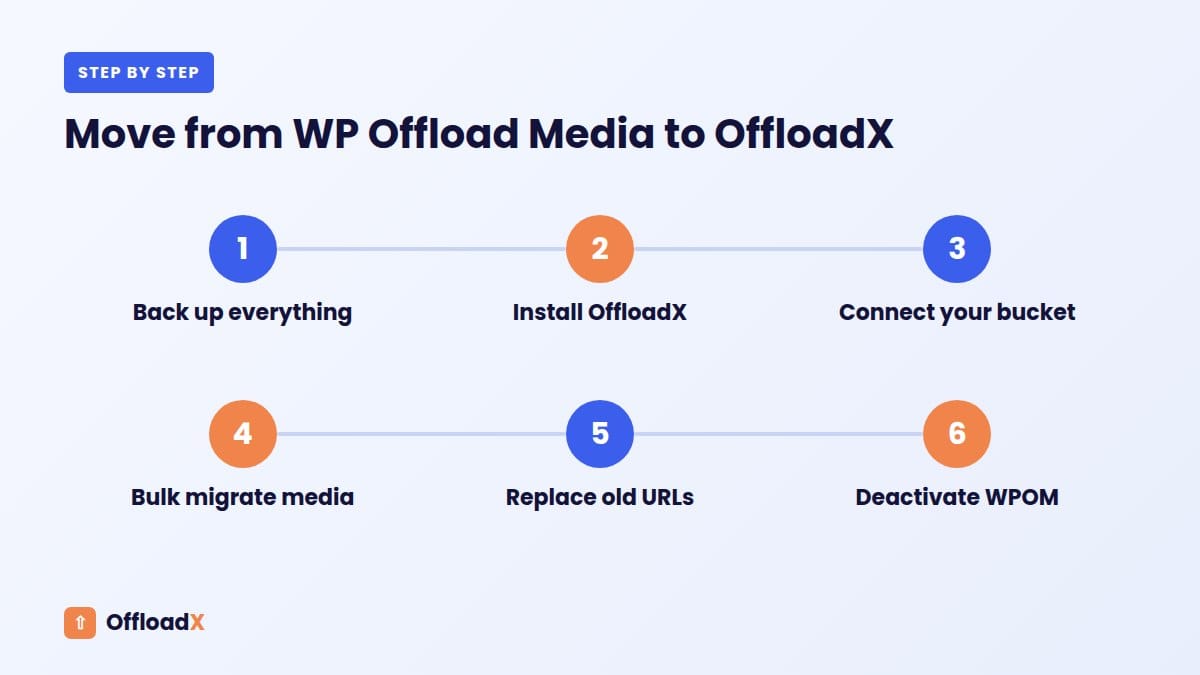
- Install OffloadX on your site without deactivating WP Offload Media yet
- Connect OffloadX to the same cloud storage bucket/provider you were using
- Enable URL rewriting in OffloadX settings
- Deactivate WP Offload Media — OffloadX takes over URL rewriting
- Test a few pages to confirm images are loading correctly
- Delete WP Offload Media once confirmed working
Your files stay exactly where they are in cloud storage. Only the WordPress plugin managing the connection changes. No re-uploading, no broken URLs, no downtime.
Note: If you were using WP Offload Media with Amazon S3 and want to switch to Cloudflare R2 at the same time, use OffloadX’s bulk migration tool to copy your files from S3 to R2 after connecting. Read our guide on how to offload WordPress media to Cloudflare R2.
OffloadX vs WP Offload Media: Cost Over Three Years
Licence prices are easier to compare over a few years, because both plugins renew and libraries keep growing. Here is a simple three-year view for a single site, using the published prices checked in September 2026: OffloadX Starter at $96 a year billed annually (or $199 once for a lifetime licence), and WP Offload Media’s displayed first-year prices from its pricing page.
| Library size | WP Offload Media plan | WP Offload Media, 3 years | OffloadX Starter, 3 years | OffloadX lifetime |
|---|---|---|---|---|
| 1,500 items | Bronze ($39/yr) | $117 | $288 | $199 |
| 15,000 items | Gold ($149/yr) | $447 | $288 | $199 |
| 35,000 items | Platinum ($199/yr) | $597 | $288 | $199 |
| 90,000 items | Adamantium ($349/yr) | $1,047 | $288 | $199 |
The pattern is clear. For small libraries, WP Offload Media is cheaper. Once a single site passes a few thousand media items, OffloadX vs WP Offload Media tips firmly towards OffloadX, and the gap widens as the library grows. WP Offload Media’s first-year prices may also include a promotion, so renewals can cost more.
When WP Offload Media still wins
- Many small sites on one licence. Every WP Offload Media plan allows unlimited sites, limited only by total media items.
- WooCommerce on a budget. WP Offload Media includes its integrations, including WooCommerce, on every tier. OffloadX adds WooCommerce support from the Business plan.
- Teams already invested in it. If it works well for you today, switching has a cost in time.
When OffloadX wins
- Large or fast-growing libraries. Unlimited files from Starter up means the price does not rise with uploads.
- Cloudflare R2 or Bunny Storage. Both are supported on every OffloadX plan, including Free. WP Offload Media’s product page lists Amazon S3, DigitalOcean Spaces and Google Cloud Storage as its providers.
- Built-in extras. OffloadX Starter includes WebP and Cloudflare Images support, image compression, a database URL replacer and scheduled offload.
- Trying before buying. The OffloadX Free plan covers one site and 100 files, and paid plans have a 14-day money-back guarantee.
OffloadX vs WP Offload Media: A Quick Decision Guide
| Your situation | Better fit |
|---|---|
| One site, under 2,000 media items, Amazon S3 | WP Offload Media Bronze |
| One site, large library, any provider | OffloadX Starter |
| You want Cloudflare R2 with no bandwidth fees | OffloadX (any plan) |
| Agency with many small client sites | Compare WPOM’s item limits with OffloadX Agency |
| You want WebP and compression without extra plugins | OffloadX Starter |
For a wider view that includes Next3 Offload, Advanced Media Offloader and Infinite Uploads, read our WP Offload Media pricing comparison and our roundup of WP Offload Media alternatives. Whichever you choose, storage provider costs often matter more than the licence; our cloud storage cost comparison shows why.
If you are switching, follow our WP Offload Media migration guide: back up, connect the new plugin, migrate, replace URLs and only then deactivate the old one.
What about support?
WP Offload Media offers standard email support on Bronze and Silver and priority support from Gold. OffloadX includes ticket support from Starter and a faster support queue on Business and above. Either way, test support once during your trial or refund window, because response time matters most on the day images break on a live site.
Bottom line: In OffloadX vs WP Offload Media, the size of your library decides the winner. Count your media items, estimate next year’s growth, and compare the three-year cost, not just the first-year price.
Frequently Asked Questions
Is OffloadX better than WP Offload Media?
For most WordPress sites in 2026, yes. In the OffloadX vs WP Offload Media comparison, OffloadX wins on media limits (no item caps on paid plans) and provider support (Cloudflare R2, Wasabi, Bunny Storage). WP Offload Media remains the better choice for Google Cloud Storage users, very small media libraries, or those who want CSS/JS assets offloading on a lower-priced plan.
Does WP Offload Media support Cloudflare R2?
No. As of 2026, WP Offload Media supports Amazon S3, Google Cloud Storage, and DigitalOcean Spaces only. Cloudflare R2 — currently the most cost-effective option for WordPress media offloading — is not supported. OffloadX supports R2 natively.
What happens to my media if I switch plugins?
Nothing — your files stay in cloud storage exactly where they are. Switching from WP Offload Media to OffloadX only changes which plugin manages the WordPress-to-cloud connection. No re-uploading is needed.
Is there a free version of WP Offload Media?
Yes — WP Offload Media Lite is a free plugin on WordPress.org with basic S3 offloading. The paid version adds CDN support, bulk migration, and other features. OffloadX also has a free version with core offloading features included.
How does WP Offload Media count media items?
Each original upload counts as one item regardless of how many resized versions WordPress generates. So if you upload 1,000 images and WordPress creates 5 sizes each, you have 1,000 items against your limit — not 5,000. However, any additional image sizes added by themes or plugins may count separately depending on how they’re registered.
Can I use OffloadX on multiple WordPress sites?
Yes. The Pro plan covers 3 sites, Business covers 10, and Agency covers unlimited sites — all at flat rates with no media item limits. WP Offload Media also allows unlimited sites on every plan, but limits the number of media items instead — so the better value depends on how many sites and images you have.
Related Guides
- How to migrate from WP Offload Media to Cloudflare R2 — two safe routes, step by step
- Best Cloudflare R2 WordPress plugins (2026 comparison)
- Cloudflare R2 WordPress setup guide
Related Guides
More From the Blog
Conclusion: OffloadX vs WP Offload Media
In the OffloadX vs WP Offload Media comparison, the choice comes down to what matters most for your site. OffloadX wins on media limits, Cloudflare R2 support, and simpler setup. WP Offload Media wins on longevity, documentation, and Google Cloud Storage support.
For most WordPress site owners in 2026 — especially those wanting to use Cloudflare R2, managing multiple sites, or building a growing media library — OffloadX is the smarter choice.
Try OffloadX Free →Have questions about switching or getting started? Leave a comment below or reach out via our support page.