
Media offload vs CDN is one of the most confusing choices in WordPress performance, and image optimisation plugins make it a three-way puzzle. All three promise faster images and lighter servers, and plugin marketing often blurs the lines. In reality, each one solves a different problem, and many sites need two of them, or all three.
This guide explains media offload vs CDN vs image optimisation in plain terms: what each actually does, what it cannot do, how they fit together, and a simple decision table to work out which ones your site needs.
Table of Contents
- Media Offload vs CDN: The Short Answer
- What Media Offloading Does
- What a CDN Does
- What Image Optimisation Does
- Side-by-Side Comparison
- How to Diagnose Your Real Problem
- Which One Fixes Your Problem?
- What Each Layer Costs
- How They Work Together
- 3 Recommended Setups
- Special Cases: Stores, Members and Video
- 4 Myths About Media Offload vs CDN
- Common Mistakes
- Frequently Asked Questions
Media Offload vs CDN: The Short Answer
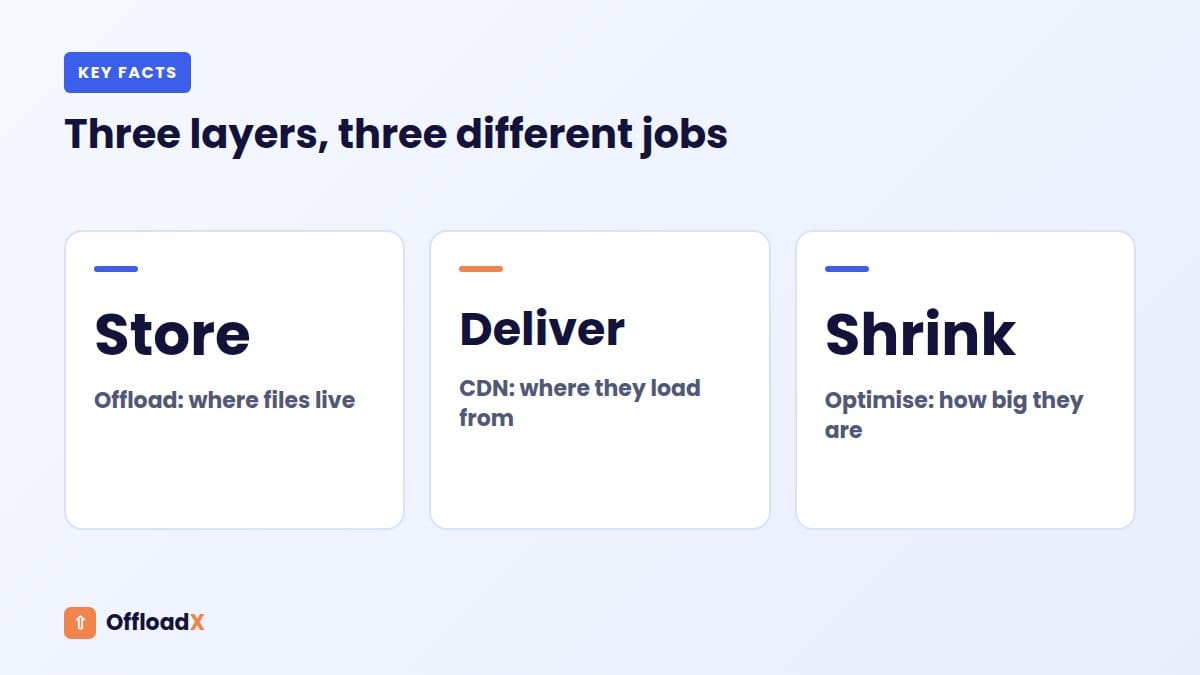
- Media offloading changes where your files live: from your server’s disk to cloud storage.
- A CDN changes where your files are delivered from: from one location to edge servers near each visitor.
- Image optimisation changes how big your files are: through compression, resizing and modern formats like WebP and AVIF.
Put simply: offloading solves storage problems, a CDN solves distance problems, and optimisation solves size problems. When people compare media offload vs CDN, they are usually comparing solutions to two different problems.
What Media Offloading Does
A media offload plugin copies files from your Media Library to cloud object storage, such as Cloudflare R2, Amazon S3, Wasabi, Backblaze B2, Bunny Storage or DigitalOcean Spaces. It rewrites image URLs so pages load them from the cloud, and it can remove the local copies to free disk space.
What offloading solves
- Full hosting disks. Media is usually the largest part of a WordPress install.
- Slow, huge backups. Without gigabytes of uploads, backups finish faster and restore faster.
- Painful migrations. Moving hosts means moving code and a database, not years of images.
- Scaling to several servers. All servers share one bucket instead of syncing folders.
- Server load from image requests. Your server stops answering every image request.
What offloading does not solve on its own
- Distance. A bucket sits in one region. Without a CDN, far-away visitors still wait.
- File size. A 2 MB photo is still 2 MB in the cloud.
What a CDN Does
A content delivery network keeps cached copies of your files on servers around the world and serves each visitor from the nearest one. Popular options for WordPress include Cloudflare, Bunny CDN, Amazon CloudFront and the CDN built into DigitalOcean Spaces.
What a CDN solves
- Distance. Visitors on other continents load images from nearby edge servers.
- Traffic spikes. Cached files are served by the CDN, not your server.
- Repeat-visit speed. Long cache times make returning visits faster.
What a CDN does not solve
- Disk space. With a CDN alone, the original files still sit on your server.
- Backup size. Backups still include every upload.
- File size. Unless the CDN also transforms images, it delivers what you give it.
That is the core of media offload vs CDN: a CDN makes delivery faster, but only offloading moves the files off your server.
What Image Optimisation Does
Image optimisation reduces the number of bytes each visitor downloads. It includes compression, resizing oversized uploads, and converting to modern formats like WebP and AVIF. It can happen in a plugin, in a CDN, or, since WordPress 7.1, partly in the editor’s browser during upload.
Why it matters so much
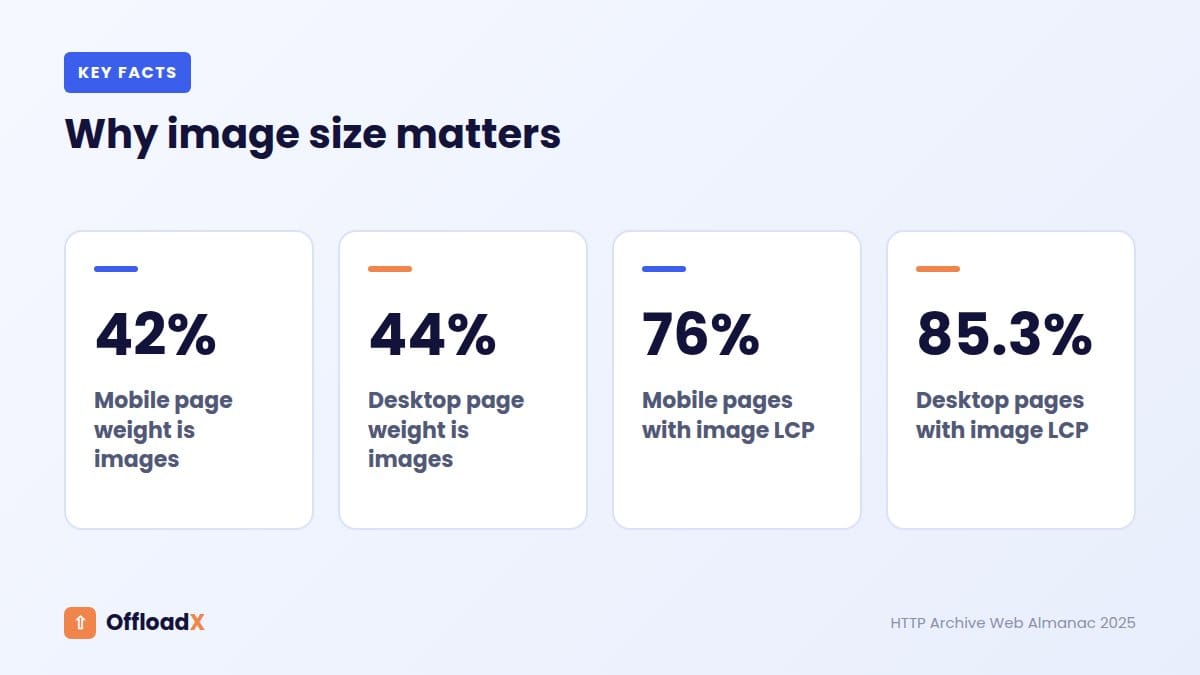
According to the HTTP Archive Web Almanac 2025, images make up about 42% of the median mobile page’s weight and about 44% on desktop, more than any other type of content. And the performance chapter found the largest visible element is an image on 76% of mobile pages and 85.3% of desktop pages.
So shrinking images directly improves Largest Contentful Paint, one of Google’s Core Web Vitals.
What optimisation does not solve
- Disk space for the long term. Smaller files help, but a growing library still grows.
- Distance. A small file still travels from wherever it is stored.
WordPress 7.1 changes the picture a little
WordPress 7.1 can now compress, resize and convert images in supported browsers during upload. Kinsta reports images about 15% smaller than with previous server-side processing. It only applies to new uploads in Chrome, Edge and Brave 137+, though, so dedicated optimisation still matters for existing libraries. Read more in our guide to WordPress 7.1 media processing.
Side-by-Side Comparison
| Media offload | CDN | Image optimisation | |
|---|---|---|---|
| Frees disk space | Yes | No | A little |
| Shrinks backups | Yes | No | A little |
| Faster for distant visitors | Only with a CDN | Yes | Somewhat |
| Reduces bytes downloaded | No | Only if it transforms images | Yes |
| Reduces server load | Yes | Yes | Somewhat |
| Improves LCP | With a CDN | Yes | Yes |
| Helps site migrations | Yes | No | No |
| Typical cost | Plugin plus storage | Free to low per-GB | Free to low monthly |
How to Diagnose Your Real Problem
Before deciding media offload vs CDN, spend ten minutes finding out what is actually slowing or filling your site.
1. Check your disk usage
Open your hosting control panel and look at disk usage, then check the size of wp-content/uploads in the file manager. If uploads take up most of your plan’s space, or backups keep failing, storage is your problem and offloading is the fix.
2. Run PageSpeed Insights on key pages
Test your homepage, a popular post and, for stores, a product page. Look at three things:
- Largest Contentful Paint element: if it is an image, image delivery matters most.
- “Properly size images” and “Serve images in next-gen formats”: these point to optimisation.
- Field data by device: mobile results are usually worse and matter more.
3. Check where your visitors are
In your analytics tool, look at visitors by country. If a large share are far from your hosting location, a CDN will make a noticeable difference. If almost everyone is in the same country as your server, a CDN helps less, though it still absorbs traffic spikes.
4. Watch server load during busy periods
If your site slows down or shows errors when traffic rises, your server is overloaded. A CDN and offloading both take image requests away from it.
Which One Fixes Your Problem?
Start from the problem you actually have. This table answers the media offload vs CDN question for the most common situations.
| Your problem | What you need |
|---|---|
| Hosting disk is nearly full | Media offload |
| Backups take hours or fail | Media offload |
| Moving to a new host soon | Media offload |
| Site is slow for visitors in other countries | CDN |
| PageSpeed says “properly size images” or “serve next-gen formats” | Image optimisation |
| Poor LCP on image-heavy pages | Optimisation plus a CDN |
| Server slows down during traffic spikes | CDN, ideally with offloading |
| Growing store or photo library | All three |
If your disk is filling up, start with our guide to a WordPress site running out of disk space.
What Each Layer Costs
Costs vary by provider, but these list prices, checked in September 2026, give a realistic idea.
| Layer | Example | Typical cost |
|---|---|---|
| Offload storage | Cloudflare R2 | $0.015 per GB-month, 10 GB free, no egress fees |
| Offload storage | Backblaze B2 | $6.95 per TB-month, 10 GB free |
| Offload storage + CDN | DigitalOcean Spaces | $5/month for 250 GiB and 1 TiB transfer |
| CDN | Bunny CDN | From $0.01 per GB in Europe and North America |
| CDN | Cloudflare | Free plan available |
| Offload plugin | OffloadX | Free for 100 files; from $8/month billed annually |
| Optimisation | WordPress 7.1 core | Free, new uploads in supported browsers |
For a typical small or medium WordPress site, all three layers together can cost less than a single hosting upgrade. See our cloud storage cost comparison for more providers.
A worked example
Take a blog on a $15-a-month shared hosting plan with 40 GB of media, readers in Europe, North America and Asia, and a disk that is nearly full.
- CDN only: readers in Asia get faster images, but the disk is still full and the host wants an upgrade.
- Offload only: the disk problem is solved, but readers far from the bucket region see little speed change.
- Optimise only: pages get lighter, but the disk keeps filling as new posts are added.
- All three: WebP images in Cloudflare R2 behind Cloudflare’s CDN. The disk is freed, images are smaller and closer to every reader, and storage costs about $0.45 a month for 40 GB.
How They Work Together
The three layers stack neatly, and the best setups use them in this order:
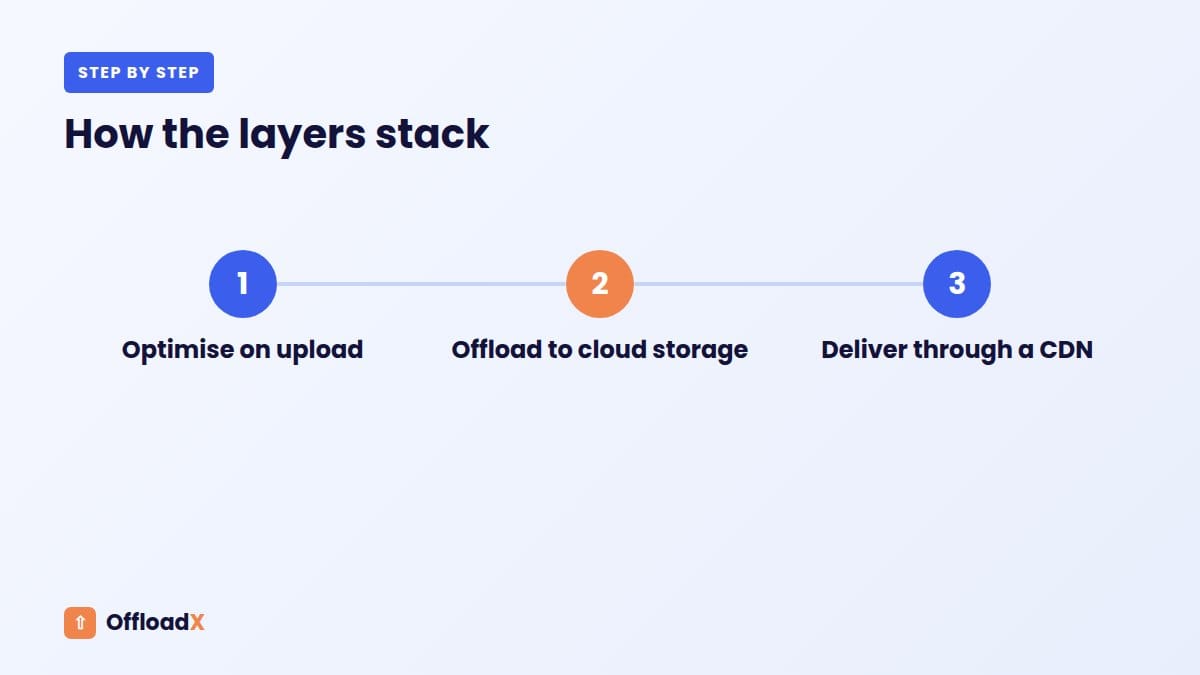
- Optimise the image when it is uploaded, so you never store the heavy version.
- Offload the optimised file and its thumbnails to cloud storage.
- Deliver it through a CDN, ideally on your own subdomain such as
media.yoursite.com.
Each layer multiplies the benefit of the others. Optimised files cost less to store and less to deliver. Offloaded files leave your server light. A CDN makes every optimised, offloaded file load quickly worldwide.
Where OffloadX fits
OffloadX handles the first two layers and connects to the third. From the Starter plan, it includes image compression and WebP along with offloading to seven storage options, and it rewrites URLs to your CDN or custom domain. Some providers, like Bunny Storage and DigitalOcean Spaces, include a CDN in the same account.
3 Recommended Setups
1. Small blog on shared hosting
- Optimise: built-in compression and WebP, or WordPress 7.1’s browser processing for new uploads.
- Offload: Cloudflare R2, which has 10 GB free and no egress fees.
- Deliver: R2 custom domain on Cloudflare.
2. Photography or portfolio site with a large library
- Optimise: careful compression settings to protect quality.
- Offload: Backblaze B2 or Wasabi for the lowest per-TB storage.
- Deliver: Cloudflare or Bunny CDN. B2 egress to both is free. See our Backblaze B2 guide.
3. WooCommerce store
- Optimise: WebP for product images and galleries.
- Offload: R2 or Bunny Storage for product media; keep paid downloads private.
- Deliver: CDN on a custom media subdomain. Our WooCommerce guide covers the details.
Special Cases: Stores, Members and Video
WooCommerce and digital downloads
Product images should be public and fast, so offload them and deliver them through a CDN. Paid downloads are different: they must not be reachable through a public CDN address. Keep them on your server or in a private bucket with signed links.
Membership and course sites
Member-only images and PDFs need the same care. A public CDN caches whatever it is given, and anyone with the link can open it. Offload public media, and keep protected files behind your membership plugin’s access controls.
Video and podcasts
Large media files benefit most from all three layers. Offloading keeps them off your disk, a CDN delivers them close to listeners and viewers, and conversion to efficient formats reduces bandwidth. WordPress 7.1 can even convert animated GIFs to video in supported browsers.
4 Myths About Media Offload vs CDN
“A CDN plugin offloads my media.”
Most CDN plugins only rewrite URLs so the CDN pulls files from your server. The originals stay on your disk.
“Offloading makes my site fast automatically.”
Only with a CDN in front. A bucket in one region is not faster for far-away visitors than your server.
“Image optimisation replaces a CDN.”
Smaller files load faster, but distance still adds delay. The two solve different parts of the same problem.
“I have to choose one.”
The three layers are designed to stack. Most growing sites end up using all of them.
Common Mistakes
| Mistake | Why it hurts | Better approach |
|---|---|---|
| Offloading without a CDN | Distant visitors load from one region | Always serve offloaded media through a CDN |
| Adding a CDN and expecting disk space back | Files stay on the server | Offload if storage is the problem |
| Offloading unoptimised images | You pay to store and serve heavy files | Optimise before or during offload |
| Running two optimisers at once | Double compression and duplicate files | Use one optimisation tool |
| Lazy-loading the hero image | Delays LCP | Load the main image immediately |
| Short CDN cache times | Repeat visitors re-download images | Cache media for long periods |
A quick decision rule
If you remember one thing about media offload vs CDN, make it this: offload when the problem is on your server, use a CDN when the problem is between your server and your visitors, and optimise when the problem is the files themselves. Most growing sites eventually have all three problems, which is why the best setups combine all three layers from the start.
Frequently Asked Questions
Is media offloading the same as a CDN?
No. Offloading moves where files are stored; a CDN changes where they are delivered from. Many setups use both.
Do I need a CDN if I offload media?
Yes, for the best speed. Without a CDN, files come from a single storage region, which is slow for distant visitors.
Can a CDN free up disk space?
No. A CDN caches copies, but the originals remain on your server. Only offloading frees the space.
Is image optimisation enough on its own?
For small sites with local visitors, it can be. As your library and audience grow, offloading and a CDN become more important.
Which should I do first?
Fix your biggest problem first: offload for storage, CDN for distance, optimisation for heavy pages. Ideally, set up all three together.
Does offloading help SEO?
Indirectly. Offloading plus a CDN and optimised images can improve LCP, which is part of Google’s page experience signals. Keep image URLs stable and alt text intact.
Does Cloudflare’s free plan count as a CDN for images?
Yes. Cloudflare caches static files like images on its network. Combined with offloading to R2 on a custom domain, it is one of the lowest-cost complete setups.
Will a CDN work with my offloaded media?
Yes. Point your offload plugin at the CDN hostname, and image URLs will use it. Most storage providers either include a CDN or work with one.
Do I need all three for a small site?
Not always. A small site with local visitors and plenty of disk space may only need optimisation. Add offloading and a CDN when storage or distance becomes a problem.
Is a CDN enough for WooCommerce?
A CDN speeds up product images, but large catalogues still fill your disk. Most growing stores benefit from offloading product media too, while keeping paid downloads private.
How do I know it worked?
Compare PageSpeed Insights results before and after, check disk usage in your hosting panel, and confirm image URLs use your CDN domain. Real-user field data takes about 28 days to update fully.
Can I undo offloading later?
Yes. A good offload plugin can copy files back to your server. Always restore files before deactivating the plugin, not after.
Is a CDN the same as cloud hosting?
No. Cloud hosting runs your whole WordPress site on cloud servers. A CDN only caches and delivers files. You can use a CDN with any kind of hosting.
Conclusion
In the media offload vs CDN debate, the answer is usually both. Offloading solves storage, backups and migrations; a CDN solves distance; optimisation solves file size. Start with your biggest problem, then stack the other layers for the fastest and lightest WordPress site.
See OffloadX Plans →Statistics from the HTTP Archive Web Almanac 2025 and Kinsta, checked September 2026.