
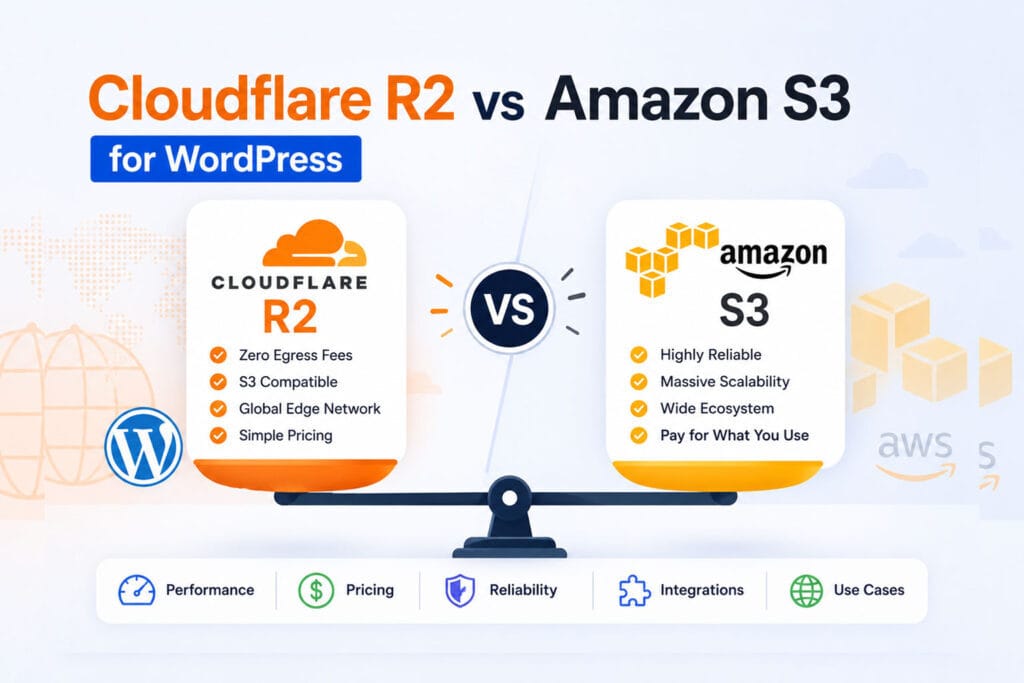
Cloudflare R2 vs Amazon S3 for WordPress — which should you use to offload your media library? Both are S3-compatible object storage services, both are reliable, and both will get your files off your server. But they are very different when it comes to cost, setup, and what WordPress site owners actually need day to day.
This guide breaks down the Cloudflare R2 vs Amazon S3 comparison specifically for WordPress — with real pricing examples, a feature-by-feature breakdown, and a clear recommendation based on your site size and needs.
Table of Contents
- What Is Cloudflare R2?
- What Is Amazon S3?
- Pricing: Cloudflare R2 vs Amazon S3 for WordPress
- Real Cost Comparison for WordPress Sites
- Performance & CDN
- Ease of Setup with WordPress
- Feature Comparison
- When to Choose Cloudflare R2
- When to Choose Amazon S3
- Final Verdict
- Cloudflare R2 vs Amazon S3: Real Monthly Scenarios
- Cloudflare R2 vs Amazon S3 Beyond Price
- Frequently Asked Questions
What Is Cloudflare R2?
Cloudflare R2 is an object storage service launched in 2022. In the Cloudflare R2 vs Amazon S3 debate, R2’s headline feature is its pricing model: zero egress fees. Every other major cloud storage provider charges you when files are downloaded — R2 does not. You only pay for storage and write operations.
R2 is fully S3-compatible, meaning it works with any tool or plugin built for Amazon S3 — including OffloadX. It’s backed by Cloudflare’s global network of 330+ edge locations, so your files are served fast to visitors worldwide without any extra CDN configuration.
- Storage: $0.015/GB per month
- Free tier: 10 GB storage, 1M writes, 10M reads per month
- Egress: Free — always
- Launched: 2022 (GA)
What Is Amazon S3?
Amazon S3 (Simple Storage Service) has been the industry standard for object storage since 2006. It’s battle-tested, deeply integrated with the broader AWS ecosystem, and used by millions of sites worldwide. When people talk about “cloud storage for WordPress,” S3 is usually what they mean.
S3 is powerful, reliable, and has every feature you could need. The catch — and it’s a significant one for WordPress sites — is egress fees. Every time a visitor loads an image from your S3 bucket, Amazon charges you for the bandwidth.
- Storage: $0.023/GB per month (S3 Standard, US East)
- Free tier: 5 GB for 12 months only
- Egress: $0.09/GB to internet (first 10 TB/month)
- Launched: 2006
Pricing: Cloudflare R2 vs Amazon S3 for WordPress
The Cloudflare R2 vs Amazon S3 pricing difference is dramatic for WordPress sites. Here’s a full breakdown:
| Cost Item | Cloudflare R2 | Amazon S3 |
|---|---|---|
| Storage | $0.015/GB/month | $0.023/GB/month |
| Egress (bandwidth out) | Free | $0.09/GB |
| Class A ops (writes) | $4.50 per million | $5.00 per million |
| Class B ops (reads) | $0.36 per million | $0.40 per million |
| Free tier | 10 GB + 1M writes + 10M reads/month (permanent) | 5 GB for 12 months only |
| CDN required? | No — built in | Yes — CloudFront adds cost |
R2 is cheaper on every single line item. But the real difference shows up when you factor in egress — which is where WordPress sites get hit hardest.
Real Cost Comparison for WordPress Sites
Let’s run the Cloudflare R2 vs Amazon S3 numbers for three typical WordPress sites to see what you’d actually pay per month.
Small Blog (10 GB media, 50 GB/month bandwidth)
| Cloudflare R2 | Amazon S3 | |
|---|---|---|
| Storage (10 GB) | $0.00 (free tier) | $0.23 |
| Egress (50 GB) | $0.00 | $4.50 |
| Operations | $0.00 (free tier) | ~$0.10 |
| Monthly total | $0.00 | ~$4.83 |
Medium WordPress Site (50 GB media, 500 GB/month bandwidth)
| Cloudflare R2 | Amazon S3 | |
|---|---|---|
| Storage (50 GB) | $0.60 | $1.15 |
| Egress (500 GB) | $0.00 | $45.00 |
| Operations | ~$0.50 | ~$0.60 |
| Monthly total | ~$1.10 | ~$46.75 |
Large WooCommerce Store (200 GB media, 2 TB/month bandwidth)
| Cloudflare R2 | Amazon S3 | |
|---|---|---|
| Storage (200 GB) | $2.85 | $4.60 |
| Egress (2 TB) | $0.00 | $184.32 |
| Operations | ~$1.50 | ~$2.00 |
| Monthly total | ~$4.35 | ~$190.92 |
Bottom line: For a busy WordPress site, switching from Amazon S3 to Cloudflare R2 can save hundreds of dollars per month — purely by eliminating egress fees.
Performance & CDN
In the Cloudflare R2 vs Amazon S3 performance comparison, the picture is more nuanced than pricing.
Cloudflare R2 Performance
R2 automatically leverages Cloudflare’s global edge network — 330+ locations worldwide. Your media files are served from the nearest Cloudflare data centre to each visitor, with no extra configuration required. There’s no need to set up a separate CDN. For WordPress sites serving a global audience, this is a significant advantage.
Amazon S3 Performance
S3 stores your files in a specific AWS region you choose at bucket creation. Without CloudFront (Amazon’s CDN), files are served from that single region — which means slower load times for visitors far from it. To match R2’s global performance, you need to set up CloudFront in front of S3, which adds cost and complexity.
| Cloudflare R2 | Amazon S3 | |
|---|---|---|
| Global delivery | Built in — 330+ edge locations | Requires CloudFront (extra cost) |
| Latency | Low globally out of the box | Low only near chosen region |
| CDN setup | None needed | CloudFront setup required |
| Custom domain | Easy — one click in dashboard | Possible but more complex |
Ease of Setup with WordPress
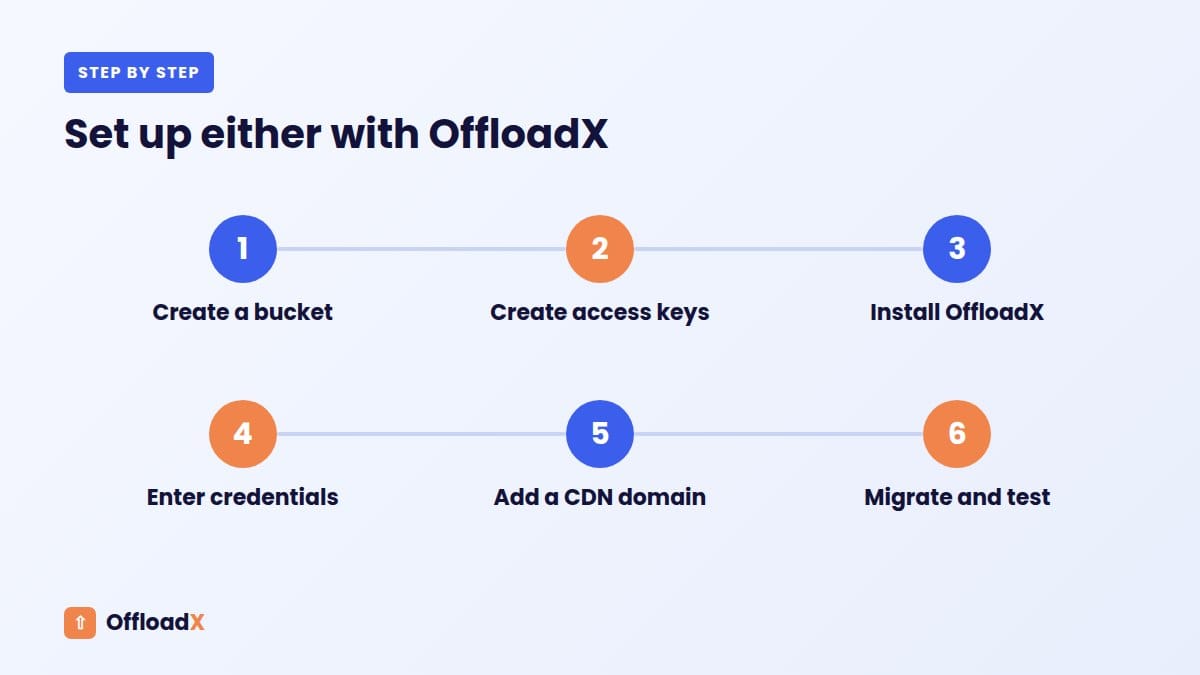
Both Cloudflare R2 and Amazon S3 work with OffloadX — and the Cloudflare R2 vs Amazon S3 setup experience is quite different. Here’s how they compare:
Setting Up Cloudflare R2 with WordPress
- Create a free Cloudflare account
- Create an R2 bucket in the dashboard
- Generate API credentials (Access Key + Secret Key)
- Enter credentials in OffloadX → select Cloudflare R2
- Done — takes about 5 minutes
Read the full guide: How to Offload WordPress Media to Cloudflare R2
Setting Up Amazon S3 with WordPress
- Create an AWS account (requires credit card)
- Create an S3 bucket — choose a region
- Create an IAM user with S3 permissions
- Configure bucket policy and CORS settings
- Enter credentials in OffloadX → select Amazon S3
- Optionally set up CloudFront for global CDN
In the Cloudflare R2 vs Amazon S3 setup comparison, S3 involves more steps — IAM policies, bucket permissions, and CORS configuration add complexity that R2 simply doesn’t have.
✓ R2 wins on setup simplicity
R2 requires no IAM configuration, no bucket policy editing, and no CORS setup in most cases. For WordPress site owners who just want media offloading to work, R2 is noticeably easier to get running.
Cloudflare R2 vs Amazon S3 Feature Comparison
| Feature | Cloudflare R2 | Amazon S3 |
|---|---|---|
| S3-compatible API | ✅ Yes | ✅ Yes (native) |
| Zero egress fees | ✅ Always free | ❌ $0.09/GB |
| Free tier | ✅ Permanent 10 GB | ⚠️ 5 GB for 12 months |
| Built-in CDN | ✅ Yes (330+ locations) | ❌ Requires CloudFront |
| Custom domain | ✅ Easy | ✅ Possible (complex) |
| Storage classes | ⚠️ Standard + Infrequent Access | ✅ Many (Glacier, IA, etc.) |
| Lifecycle rules | ✅ Basic | ✅ Advanced |
| Versioning | ✅ Yes | ✅ Yes |
| Event notifications | ✅ Basic (Queue consumers) | ✅ Advanced (Lambda, SNS, SQS) |
| AWS ecosystem integration | ❌ No | ✅ Deep (Lambda, Athena, etc.) |
| Signed URLs | ✅ Yes | ✅ Yes |
| Works with OffloadX | ✅ Yes | ✅ Yes |
When to Choose Cloudflare R2 for WordPress
Choose Cloudflare R2 if:
- You want the lowest possible cost — especially if your site gets significant traffic
- You’re starting fresh and want the simplest setup
- Your domain is already on Cloudflare (setup is even easier)
- You want global CDN performance without paying extra
- You’re running a blog, portfolio, or WooCommerce store — any site primarily serving media to public visitors
- You want a permanent free tier that doesn’t expire after 12 months
For the vast majority of WordPress sites, Cloudflare R2 is the better choice in the Cloudflare R2 vs Amazon S3 comparison. The zero egress fees alone make it significantly cheaper as your traffic grows.
When to Choose Amazon S3 for WordPress
Choose Amazon S3 if:
- You’re already deep in the AWS ecosystem and use other AWS services (Lambda, RDS, CloudFront)
- You need advanced storage classes like Glacier for long-term archiving
- Your team has existing AWS IAM and security policies already set up
- You need advanced event notifications triggering Lambda functions
- You require compliance features like Object Lock or specific data residency guarantees
S3 makes sense for enterprise setups and developers already invested in AWS. For a typical WordPress site owner just wanting to offload media and reduce costs, those features are overkill.
Final Verdict: Cloudflare R2 vs Amazon S3 for WordPress
🏆 Cloudflare R2 wins for WordPress
Zero egress fees, permanent free tier, built-in global CDN, simpler setup, and lower storage costs. For WordPress media offloading, R2 is the better choice for the vast majority of sites.
The Cloudflare R2 vs Amazon S3 decision comes down to one question: are you primarily serving media files to website visitors? If yes, R2 wins. Egress is where you pay the most with S3, and R2 eliminates that cost entirely.
The only reason to choose S3 is if you’re already embedded in the AWS ecosystem and need its advanced integrations. For everyone else — bloggers, agencies, WooCommerce stores, content sites — Cloudflare R2 is the smarter, cheaper, simpler choice.
Both providers work seamlessly with OffloadX. Whichever you choose, you can connect your WordPress media library in under 10 minutes and start offloading immediately.
Cloudflare R2 vs Amazon S3: Real Monthly Scenarios
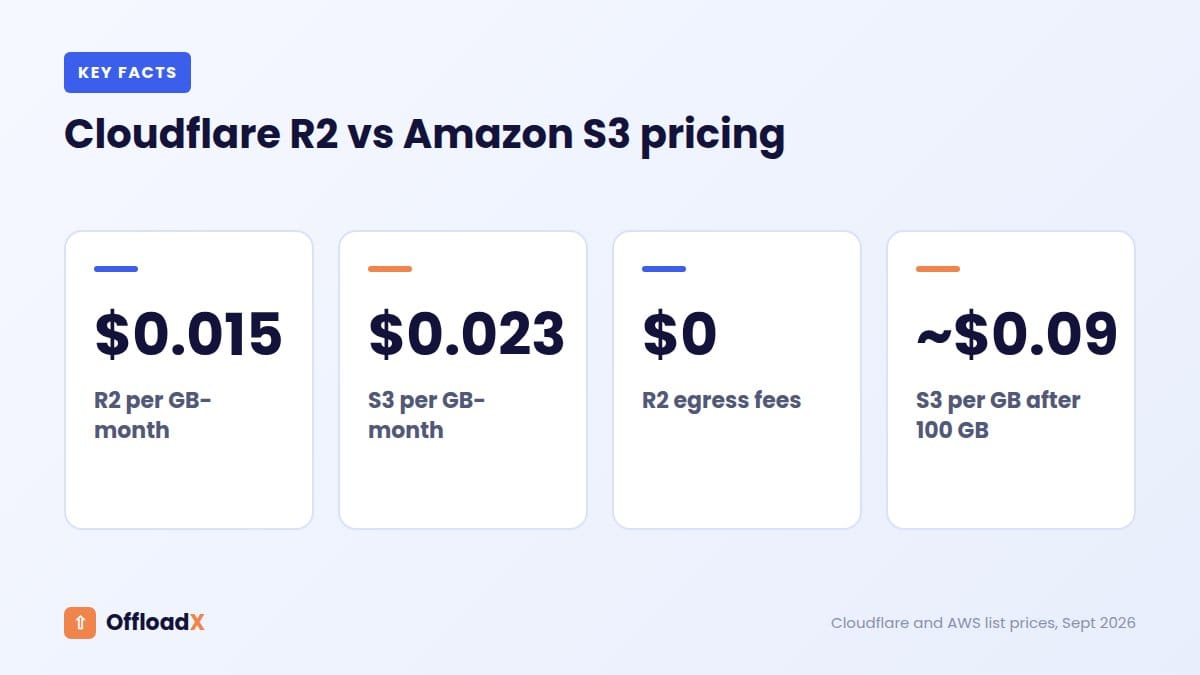
The easiest way to compare Cloudflare R2 vs Amazon S3 for WordPress is to price a few typical sites. These examples use list prices checked in September 2026: R2 at $0.015 per GB-month with 10 GB free and no egress fees (R2 pricing), and S3 Standard in us-east-1 at about $0.023 per GB-month, with the first 100 GB of transfer free each month and about $0.09 per GB after that (S3 pricing).
| Site | Cloudflare R2 | Amazon S3 |
|---|---|---|
| Blog: 20 GB stored, 100 GB served | $0.15 | about $0.46 |
| Business site: 50 GB stored, 300 GB served | $0.60 | about $19 |
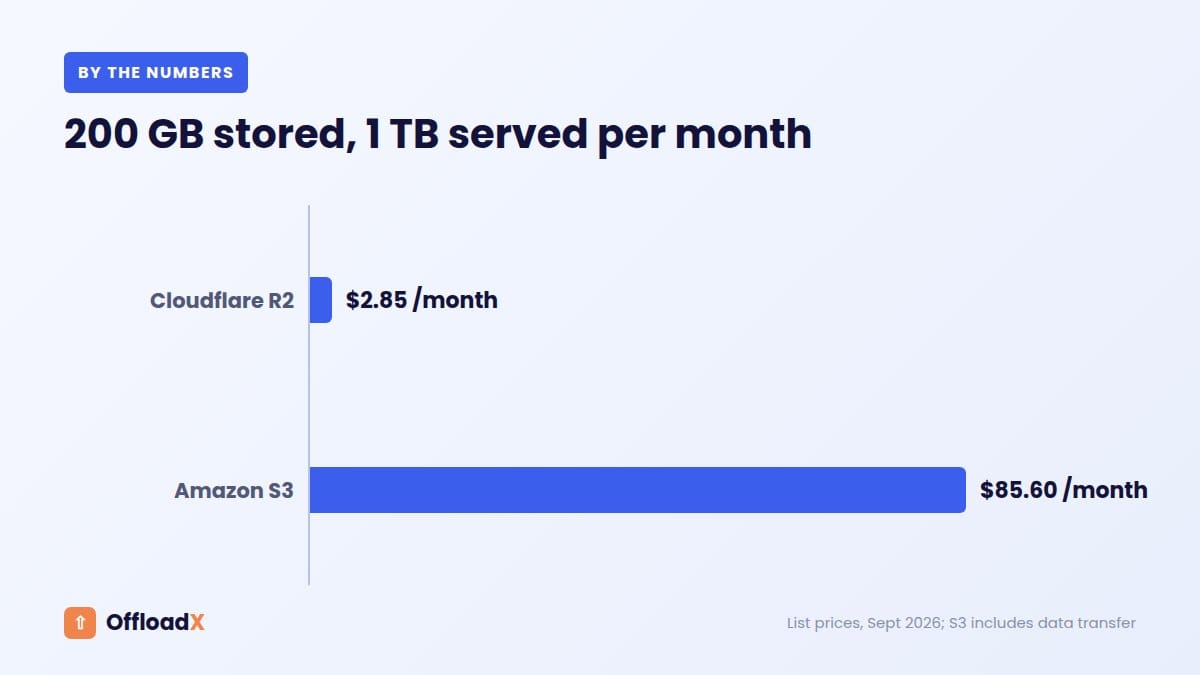
| Magazine: 200 GB stored, 1 TB served | $2.85 | about $86 |
| Media library: 500 GB stored, 3 TB served | $7.35 | about $272 |
Operation fees are left out because most WordPress sites stay within R2’s free allowance of 1 million Class A and 10 million Class B operations per month. S3 request charges are small for typical sites too.
What the table shows
- For tiny sites, both are cheap and the difference is a few cents.
- For any site with real traffic, S3’s data transfer dominates the bill. R2’s zero egress fees make it dramatically cheaper.
- Putting CloudFront in front of S3 narrows the gap: CloudFront’s free tier includes 1 TB of transfer out per month.
Cloudflare R2 vs Amazon S3 Beyond Price
| Cloudflare R2 | Amazon S3 | |
|---|---|---|
| Public delivery | r2.dev for testing; custom domain on Cloudflare for production | Public bucket policy or CloudFront |
| CDN | Cloudflare’s network via custom domain | CloudFront, billed separately after free tier |
| Storage classes | Standard and Infrequent Access | Many classes, from Standard to Glacier |
| Ecosystem | Best if your DNS is on Cloudflare | Best if the rest of your stack is on AWS |
| OffloadX support | All plans, including Free | All plans, including Free |
Can you switch later?
Yes. Both use the S3 API, so you can copy files between them with tools like rclone, point OffloadX at the new bucket and replace URLs. Serving media from your own subdomain from day one makes a future switch invisible to visitors. We cover the full move in our S3 to Cloudflare R2 migration guide, and setup for each provider in our R2 guide and Amazon S3 guide.
Which is faster for visitors?
With a CDN in front, both can be fast. R2 on a custom domain is served through Cloudflare’s network automatically. S3 on its own serves from one region, so pair it with CloudFront for a global audience. Our guide to offloading WordPress media for speed explains how CDN choice, caching and image size affect Largest Contentful Paint.
Which is easier to set up?
R2 setup takes fewer steps: create a bucket, create a scoped API token and connect a custom domain. S3 needs a bucket, an IAM user with a policy, a decision on public access or CloudFront, and CORS rules if your theme loads fonts or scripts from the bucket. Both work with OffloadX’s connection tester, which confirms your credentials before you move any files.
What about reliability?
Both are mature object storage services built for very high durability, and both are used by large sites worldwide. For WordPress media, the practical risks are configuration mistakes rather than provider outages: a wrong region, an expired token or a public access setting. Keep your settings documented and test after every change.
If you are still unsure, start with R2 on the OffloadX Free plan for up to 100 files, check the results on a few pages, and scale up once you are happy with the speed and the bill.
Verdict in one line: in Cloudflare R2 vs Amazon S3 for WordPress media, R2 wins on cost for almost every site with traffic; S3 wins when you are already committed to AWS and want its wider tooling.
Frequently Asked Questions
Is Cloudflare R2 really better than Amazon S3 for WordPress?
For most WordPress sites, yes. The Cloudflare R2 vs Amazon S3 comparison strongly favours R2 for sites that serve media to public visitors — which is virtually every WordPress site. Zero egress fees, a permanent free tier, and built-in CDN make the Cloudflare R2 vs Amazon S3 decision clear for bloggers, agencies and WooCommerce stores.
Can I switch from Amazon S3 to Cloudflare R2?
Yes. Cloudflare even provides a migration tool called R2 Super Slurper that copies your existing S3 objects directly into an R2 bucket. With OffloadX, you can then update your WordPress site to serve files from R2 instead of S3 without any downtime.
Does Cloudflare R2 work with WordPress plugins?
Yes. R2 is S3-compatible, so any plugin built for Amazon S3 can work with R2 by simply changing the endpoint URL. OffloadX has native Cloudflare R2 support with a dedicated setup flow — no manual endpoint configuration needed.
What are the egress fees for Amazon S3?
Amazon S3 charges $0.09/GB for data transferred out to the internet (for the first 10 TB/month in US East). This adds up fast for image-heavy WordPress sites. A site transferring 1 TB/month pays about $92 in egress fees alone — R2 would charge $0 for the same.
Is Cloudflare R2 free?
R2 has a permanent free tier that includes 10 GB of storage, 1 million write operations, and 10 million read operations per month. Unlike Amazon S3’s free tier which expires after 12 months, R2’s free tier never expires. Most small WordPress blogs will never pay anything.
Does OffloadX support both Cloudflare R2 and Amazon S3?
Yes. OffloadX supports Cloudflare R2, Amazon S3, Wasabi, DigitalOcean Spaces, and Bunny CDN. You can switch between providers at any time from the OffloadX settings panel.
Related Guides
- Cloudflare R2 for WooCommerce — worked cost example: 100 GB and 1 TB of traffic a month on R2 vs S3
- Move from Amazon S3 (WP Offload Media) to Cloudflare R2
- Serve R2 media from a custom domain
Related Guides
- Does offloading WordPress media speed up your site?
- How to offload WordPress media to Wasabi
- Bunny Storage WordPress guide
Conclusion
In the Cloudflare R2 vs Amazon S3 comparison for WordPress, R2 wins on price, simplicity, and out-of-the-box CDN performance. For WordPress site owners who want to offload media without paying egress fees or configuring a separate CDN, R2 is the clear choice in 2026.
Ready to try it? OffloadX connects your WordPress media library to Cloudflare R2 in under 10 minutes — free to get started.
Download OffloadX Free →Have questions? Leave a comment below or reach out via our support page.