
A Cloudflare R2 custom domain is what turns a test setup into a production one. Once your WordPress media is in Cloudflare R2, the next step is choosing the address it’s served from. The default r2.dev address works, but Cloudflare says it’s for development only. A custom domain like cdn.yoursite.com is faster, more secure and better for SEO. Here’s how to set one up.
Table of Contents
r2.dev vs a Cloudflare R2 Custom Domain
| r2.dev address | Custom domain | |
|---|---|---|
| Intended use | Development only | Production |
| Rate limits | Rate-limited | Normal Cloudflare limits |
| Cloudflare Cache | No | Yes, including Smart Tiered Cache |
| WAF and bot management | No | Yes |
| URL looks like | pub-xxxx.r2.dev/image.jpg | cdn.yoursite.com/image.jpg |
Source: Cloudflare R2 public buckets documentation. Cloudflare also notes that pointing a CNAME at an r2.dev address isn’t supported. Use the built-in custom-domain connection instead.
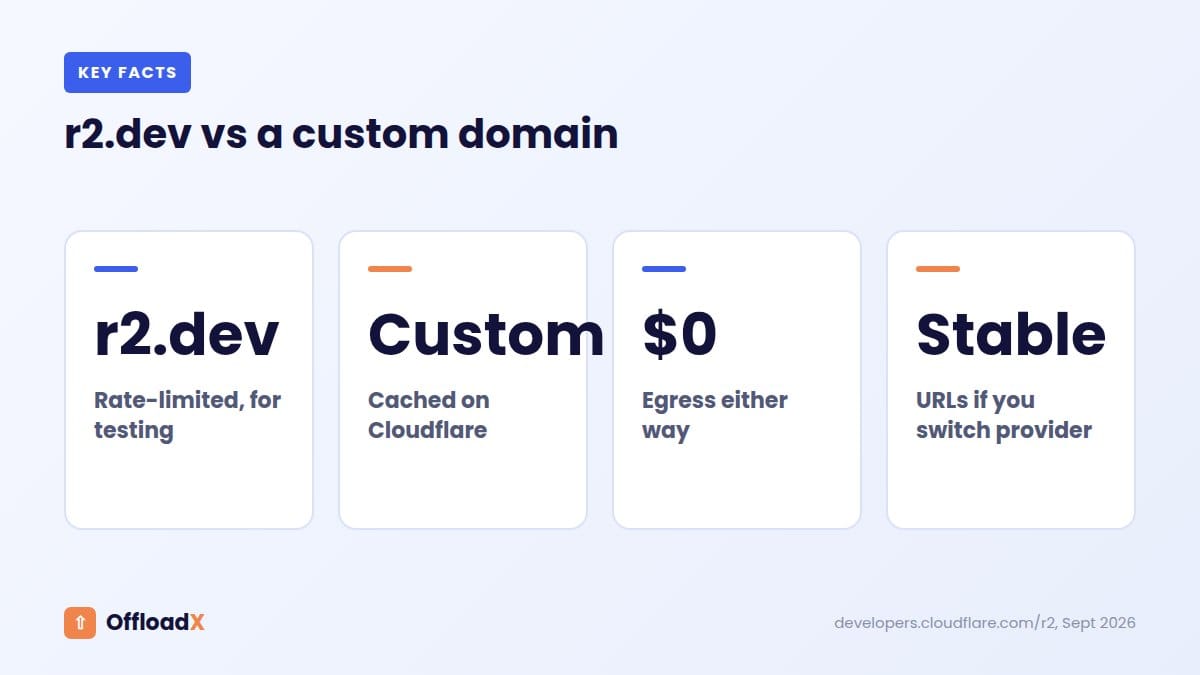
Why it matters: if a busy page or a traffic spike hits the rate limit on r2.dev, visitors see broken images. A custom domain avoids that and puts Cloudflare’s cache in front of your files.What You Need
- Your domain added to Cloudflare as a zone, in the same Cloudflare account as the R2 bucket
- An R2 bucket that already holds your media (see our Cloudflare R2 WordPress setup guide)
- A subdomain you’re not using for anything else, such as
cdn,mediaorstatic
Step 1 — Connect the Domain to Your Bucket
- In the Cloudflare dashboard, go to R2 Object Storage and open your bucket.
- Open Settings and find Custom Domains.
- Click Connect Domain and enter the subdomain, for example
cdn.yoursite.com. - Confirm. Cloudflare creates the DNS record and SSL certificate for you, and the domain is usually active within a few minutes.
- Test it: open
https://cdn.yoursite.com/followed by the path of a file you know is in the bucket. The image should load.
Step 2 — Point WordPress at the New Domain
In OffloadX, open your R2 connection’s delivery settings and enter https://cdn.yoursite.com as the custom CDN URL. Save, then check that URL rewriting is on. Media URLs in posts, pages and widgets will now use your subdomain.
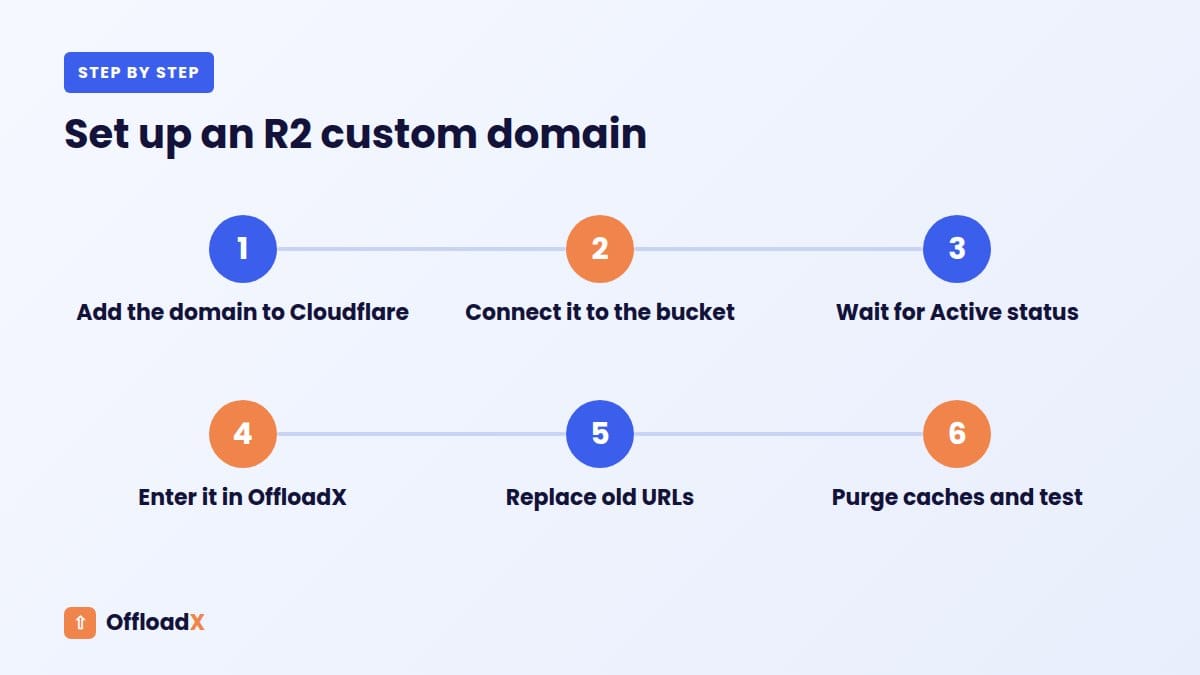
If you were already serving from r2.dev, some URLs may be saved in your content. Use the database URL replacement tool to swap https://pub-xxxx.r2.dev for https://cdn.yoursite.com. Run a dry run first to see how many rows will change.
Finally, purge your page cache (LiteSpeed, WP Rocket, W3 Total Cache and so on) so visitors don’t get old HTML with old image URLs.
Step 3 — Set Caching Rules
Media files rarely change once they’re uploaded, so you can cache them hard at Cloudflare’s edge:
- In your domain’s Cloudflare dashboard, go to Caching → Cache Rules and create a rule.
- Set the rule to match requests where Hostname equals
cdn.yoursite.com. - Set it to Eligible for cache, and set a long Edge TTL (for example 1 month) and Browser TTL (for example 1 week or more).
- Deploy the rule.
WordPress gives each upload a unique filename, so long cache times are safe. A replaced image gets a new name rather than overwriting the old one.
Step 4 — Add CORS (Fonts, Video, Scripts)
Browsers block some cross-domain requests — web fonts, video loaded by JavaScript players, and assets fetched by scripts — unless the storage sends CORS headers. If you offload any of these, add a CORS policy to the bucket:
- Open your bucket, go to Settings → CORS Policy, and click Add CORS policy.
- Paste a policy like this, using your own site address:
[{"AllowedOrigins": ["https://yoursite.com", "https://www.yoursite.com"], "AllowedMethods": ["GET", "HEAD"]}]
Save it, then allow up to 30 seconds for the change to take effect (Cloudflare CORS docs).
Is a CDN Subdomain Good for SEO?
Yes. Serving images from a subdomain of your own site keeps them under your brand. In Google Images they show as cdn.yoursite.com rather than a generic storage address. And you won’t need to change image URLs again if you ever switch storage providers.
Two extras help: keep descriptive filenames and alt text on your images, and make sure cdn.yoursite.com isn’t blocked by a robots.txt rule.
Frequently Asked Questions
Can I use a domain that isn’t on Cloudflare?
Not with the built-in custom-domain connection. The domain has to be a zone in the same Cloudflare account as the bucket.
Can I use my main domain instead of a subdomain?
Use a dedicated subdomain. Your main domain already serves your WordPress site.
Do I pay extra for the custom domain?
No. Connecting a custom domain doesn’t cost extra, and R2 egress stays free. You still pay normal R2 storage and operation charges.
Can I connect more than one domain to a bucket?
Yes, a bucket can have several custom domains. For WordPress, one is usually enough.
How a Cloudflare R2 Custom Domain Works
When a visitor loads an image from cdn.yoursite.com, the request goes to Cloudflare’s nearest data centre first, not straight to your bucket.
- The visitor’s browser asks Cloudflare for the image.
- If Cloudflare already has a cached copy nearby, it sends it immediately. That’s a cache hit.
- If not, Cloudflare fetches the file from R2, sends it to the visitor, and keeps a copy for next time.
That cache layer is the main reason a Cloudflare R2 custom domain is faster than r2.dev: popular images are served from the edge, close to your visitors, and many requests never reach R2 at all. Fewer reads also means fewer R2 operations on your bill.
Choosing a Subdomain Name
Any unused subdomain works. The most common choices are:
cdn.yoursite.com— widely understood, the usual defaultmedia.yoursite.com— clear if you’ll also serve video or documentsimg.yoursite.comorstatic.yoursite.com— short and descriptive
Pick one and stick with it. Changing the custom domain later means rewriting every media URL again, clearing caches, and waiting for search engines to pick up the new image addresses, so it is worth a minute of thought now. Avoid names tied to a provider, such as r2.yoursite.com, in case you ever move storage.
If Your Domain Isn’t on Cloudflare Yet
A Cloudflare R2 custom domain needs your domain to be a zone in the same Cloudflare account as the bucket. If your DNS is somewhere else, move it first. Cloudflare’s free plan is enough.
- In Cloudflare, click Add a domain and enter your domain.
- Cloudflare scans your existing DNS records. Check that every record is there, especially email (MX) records.
- Cloudflare gives you two nameservers. Replace your current nameservers with these at your domain registrar.
- Wait for the change to take effect. It’s often under an hour, but can take up to a day.
Your website keeps working during the switch as long as the DNS records were copied correctly. Once the domain shows as active in Cloudflare, you can connect the R2 custom domain.
Securing Your Cloudflare R2 Custom Domain
A public bucket on a custom domain can use Cloudflare’s security tools. A few settings are worth turning on.
Hotlink protection
Other sites can embed your images directly, using your storage and bandwidth. Cloudflare’s hotlink protection, or a WAF rule that checks the referrer, stops that. Make sure your own domain and any social preview services you rely on are still allowed.
Block abusive bots
Scrapers sometimes download whole media libraries. Cloudflare’s bot settings and WAF rate-limiting rules can slow them down. On busy sites, this also keeps R2 operations predictable.
Minimum TLS version
Custom domains let you set a minimum TLS version. TLS 1.2 is a sensible baseline for modern browsers.
Disable r2.dev after switching
Once everything is served from your custom domain, turn off the r2.dev public URL in the bucket’s settings. That way your files are only reachable through the domain where your cache and security rules apply.
How to Check Your Cache Is Working
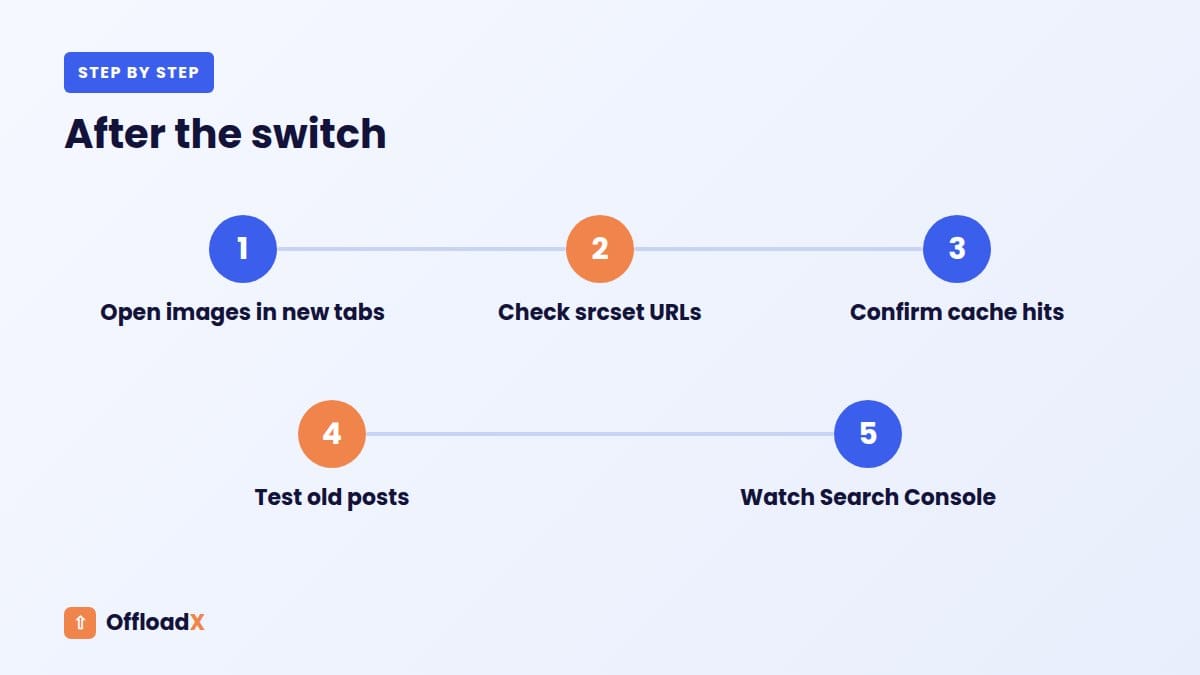
Cloudflare adds a cf-cache-status header to each response. You can check it in your browser:
- Open a page on your site and open developer tools (F12).
- Go to the Network tab and reload the page.
- Click an image from
cdn.yoursite.comand look at the response headers.
| cf-cache-status | What it means |
|---|---|
| HIT | Served from Cloudflare’s cache. This is what you want. |
| MISS | Fetched from R2 this time; cached for next time. Normal on first load. |
| DYNAMIC or BYPASS | Not being cached. Check your cache rule matches the hostname. |
| EXPIRED / REVALIDATED | The cached copy was refreshed. Normal occasionally. |
Reload the page once or twice. Images that showed MISS the first time should switch to HIT.
Measuring the Speed Difference
To see what your Cloudflare R2 custom domain is doing for performance, test the same page before and after the switch:
- PageSpeed Insights shows Largest Contentful Paint, which is often an image.
- Your browser’s Network tab shows how long each image takes to load.
- Tests from another region show the biggest gains, because cached images come from a nearby Cloudflare location instead of one server.
Run each test a few times. The first run warms the cache, so later runs reflect what most visitors see. Note the results before and after, so you have real numbers to compare rather than a general impression.
Using One Domain for Several Sites
If you run several WordPress sites, you can give each its own bucket and subdomain, or put them in one bucket with a folder per site. Separate buckets and subdomains are easier to manage and to hand over to clients. A shared bucket works well when one team owns every site. OffloadX’s Agency plan supports per-site folders if you go that way.
More Questions About a Cloudflare R2 Custom Domain
Will changing to a custom domain break existing image links?
Not if you rewrite URLs in your content and keep the old address working until caches and search engines catch up. Turn off r2.dev only after that.
How long do cached images stay at the edge?
As long as your Edge TTL allows, unless Cloudflare evicts rarely requested files sooner to make room. Popular images tend to stay cached, while images that are almost never viewed may be fetched from R2 again. Both cases work normally for visitors.
Can I purge a single image from the cache?
Yes. In your domain’s Cloudflare dashboard, go to Caching and use Custom Purge with the full image URL. Because WordPress gives replaced images new filenames, you rarely need to do this.
Does the custom domain need its own SSL certificate?
Cloudflare creates and renews it for you when you connect the domain. There is nothing to install or renew on your WordPress server.
Can I use a Cloudflare R2 custom domain with a free Cloudflare plan?
Yes. Custom domains for R2 work on the free plan.
Troubleshooting a Cloudflare R2 Custom Domain
The domain stays “pending”
New connections usually go live within minutes. If it’s still pending after an hour, check that your domain’s nameservers point to Cloudflare and that the zone shows as active.
“A DNS record already exists”
If cdn.yoursite.com already has a record, for example an old CNAME to CloudFront or another CDN, Cloudflare can’t create its own. Delete the old record, then connect the domain again.
Images return 404 on the new domain
The domain works, but the path is wrong. Compare the URL WordPress is using with the object’s key in the bucket. A missing wp-content/uploads/ prefix, or an extra folder, is the usual cause. Fix the path setting in your offload plugin rather than renaming objects.
Browser shows a certificate warning
The certificate may still be issuing. Wait a few minutes. If it continues, check the domain is proxied through Cloudflare (orange cloud) and not set to DNS only.
Mixed-content warnings
If your site uses HTTPS but some media URLs start with http://, browsers may block them. Make sure the custom CDN URL in your plugin starts with https://, then rewrite any saved http:// URLs.
For errors on the R2 side, such as 403 or SignatureDoesNotMatch, see our full guide to Cloudflare R2 WordPress errors.
What Changes in WordPress After the Switch
For editors and authors, almost nothing. Uploading images works exactly as before. Behind the scenes, a few things are different:
- Image URLs in posts and pages now start with your custom domain.
- Your server no longer handles image requests, so it has more capacity for page loads and checkout.
- Backups can exclude the uploads folder once local copies are removed.
- Social previews use images from the new domain. Test a post in Facebook’s and LinkedIn’s sharing debuggers if previews look wrong.
Cloudflare R2 Custom Domain Checklist
- Domain is an active zone in the same Cloudflare account as the bucket
- Subdomain chosen and not used by any other DNS record
- Custom domain connected in the bucket’s settings and showing as active
- Test image loads over HTTPS on the new domain
- Custom CDN URL entered in your offload plugin, with URL rewriting on
- Old
r2.devor CDN URLs replaced in the database - Page, host and CDN caches purged
- Cache rule set for the media hostname, and
cf-cache-status: HITconfirmed - CORS policy added if you serve fonts, video or script-loaded files
- Hotlink protection and bot settings reviewed
r2.devpublic access turned off once everything works
Work through the list once and the setup rarely needs attention again. New uploads are served from the same domain automatically, with the same cache and security rules.
Custom Domain vs Other Ways to Serve R2 Files
There are three common ways to put R2 files in front of visitors. For a WordPress site, one is clearly the best fit.
| Option | Good for | Drawbacks |
|---|---|---|
| r2.dev public URL | Quick testing | Rate-limited, no cache or WAF, not for production |
| Cloudflare R2 custom domain | Production WordPress media | Domain must be on Cloudflare |
| Worker in front of R2 | Custom logic, such as signed or private files | Needs code, and Worker requests may be billed |
For public images, video and documents on a WordPress site, the custom domain gives you caching and security with no code. A Worker only makes sense when you need logic the custom domain can’t provide, such as checking a login before serving a file.
What a Custom Domain Costs
Connecting the domain itself is free, and it works on Cloudflare’s free plan. You keep paying normal R2 prices: $0.015 per GB-month of storage after the free 10 GB, plus operations, with no egress fees (Cloudflare R2 pricing).
In practice, a custom domain can lower your R2 bill slightly. Cached images are served from Cloudflare’s edge, so fewer requests reach the bucket as billable reads. The effect is largest for popular images that many visitors load.
Conclusion
A custom domain turns R2 from a development setup into production-ready media hosting, with Cloudflare cache, security rules and your own brand in every image URL. It takes about ten minutes, and you only need to do it once.
Get OffloadX Free →Cloudflare dashboard menu names checked September 2026. Cloudflare sometimes renames menus, but the settings stay the same.